Big performance in a small package.
If the thought of lugging a giant (and heavy) laptop around campus seems less than appealing to you, then you're in the right place. Tech is getting smaller and more portable every year, but that doesn't mean you have to sacrifice on quality just because you want something with grab and go ease. We'd like to introduce you to the 13-inch screen laptop.
These 10 computers are the best rated 13-inch, lightweight laptops you can get on the market right now. And just to sweeten the deal, every single one of the laptops listed here is eligible for your Student Beans discount, meaning that back to school shopping bill won't be nearly as high this year.
1. Apple MacBook Air — $999.00
Apple knows how to craft tech, and there's not a more obvious example of this than the 13-inch MacBook Air laptop. This is the perfect laptop for students everywhere. All of the qualities MacBooks are known for are packed into this portable 13-inch laptop, along with a huge battery life that will last all day.
If you're an Apple user, a MacBook should be your choice since it integrates easily with all the tech you already have like iPhones and AirPods. It crushes the competition's computing speeds thanks to the Apple M1 chip technology, so there really isn't a better overall pick when it comes to a 13-inch laptop. It's also one of the most powerful 13-inch laptops on the market.
What’s in the box
MacBook Air
30W USB-C power adapter
USB-C charging cable
Technical specs
Operating system: iOS
RAM: 8GB Unified PDDR4X-4266 MHz SDRAM
Processor: Apple M1 (8-core)
Storage: 256GB PCIe SSD
Screen resolution: 2,560 x 1,600
Screen size: 13.3-inch
Screen type: Retina True Tone display
Touch screen: No
Battery life: 18 hours
Battery type: Built-in 49.9‑watt‑hour lithium‑polymer battery
Audio connections: Stereo speakers, 3.5mm headphone jack
Webcam: 720p FaceTime HD camera
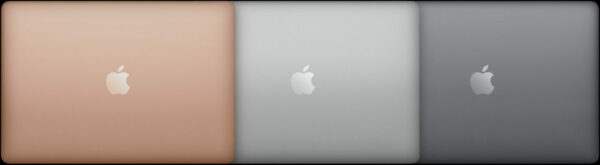
Colors: Gold, silver, space gray
Pros
Phenomenal battery life
Excellent keyboard
Solid build
Cons
Few ports
Save $100 at Apple with Student Beans
2. Dell XPS 13 — $1249.99
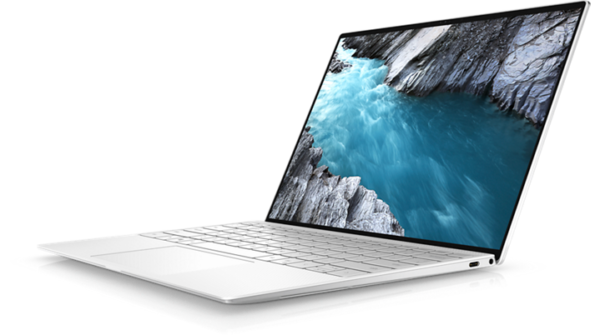
If you're looking for a solid all-around 13-inch laptop that will get the job done, Dell's XPS 13 has to be a part of the conversation. Lightweight, portable, but still packing a serious punch, this 13-inch laptop is perfect for college students looking for a Windows 13-inch laptop instead of a MacBook.
One of the nice benefits of the XPS 13 is that it only takes two hours to hit a full charge for this 13-inch laptop, which is great if you're on campus and in need of some extra battery in between classes. The CPU is super power-efficient, but that means it's best suited for general productivity tasks rather than things like gaming or 4K streaming.
What’s in the box
Dell XPS 13
Charging cable
Technical specs
Operating system: Windows 11
RAM: 8GB 4267MHz LPDDR4x Memory Onboard
Processor: 11th Gen Intel® Core™ i5-1135G7
Storage: 512 GB, M.2, PCIe NVMe, SSD
Screen resolution: 3456 x 2160
Screen size: 13.4-inch
Screen type: OLED
Touch screen: Yes
Battery life: 14 hours
Battery type: 4 Cell, 52 Wh, integrated
Audio connections: Stereo speakers professionally tuned with Waves MaxxAudio® Pro
Webcam: Widescreen HD (720p) 2.25mm webcam
Colors: Platinum, frost
Pros
Streamlined design
Great keyboard
Solid overall performance
Cons
Limited connectivity
Average battery life
Save 10% at Dell with Student Beans
3. HP Elite Dragonfly G2 — $1979.00
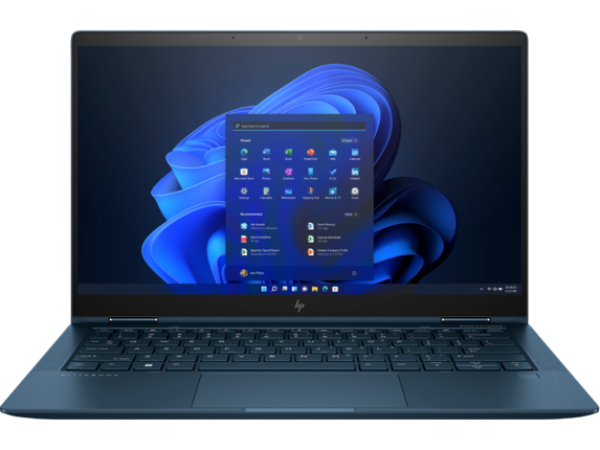
A true 2-in-1 laptop, the 13-inch HP Elite Dragonfly G2 is more powerful than ever in this newer version of the original 13-inch laptop. It even has included security software, meaning you won't have to worry about viruses or anything else sketchy happening while you browse the web.
Being able to convert from a 13-inch laptop to a 13-inch tablet at a moment's notice is a great feature to have on any laptop, but HP perfects the formula. There's even a "build your own" option available, allowing you to customize your computer with whatever extras you need, making it worth the higher price tag.
What’s in the box
HP Elite Dragonfly G2
Charging cable
Technical specs
Operating system: Windows 10 Pro
RAM: 16 GB LPDDR4x-4266 MHz
Processor: Intel® Core™ i5-1145G7
Storage: 512 GB PCIe® NVMe™ TLC SSD
Screen resolution: 1920 x 1080
Screen size: 13.3-inch
Screen type: BrightView
Touch screen: Yes
Battery life: 16 hours
Battery type: HP Long Life 4-cell
Audio connections: 4 Premium stereo speakers
Webcam: 720p HD IR camera
Color: Black
Pros
Comfortable keyboard
Great screen
Included security software
Cons
Expensive
Save up to 45% at HP with Student Beans
4. Lenovo Chromebook Flex 5 — $384.99
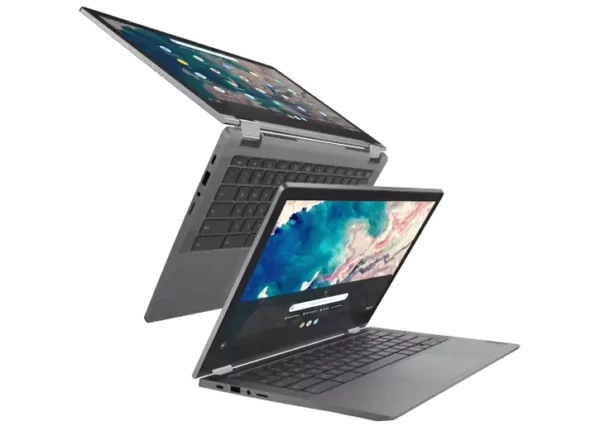
If you're shopping for 13-inch laptops on a budget, the Lenovo 13-inch Chromebook Flex 5 is a wonderful option as one of the best cheap 13-inch laptops for students. It has enough performance to get you through the day, but with the lower price comes reduced processing speeds and average displays.
This solid 13-inch laptop is a great option if you're looking to save money on your computer purchase. While you won't be getting all the add-ons and enhanced features with some of the other 13-inch laptops on this list, you'll be paying for exactly what you get—a practical, everyday 13-inch laptop.
What’s in the box
Lenovo Chromebook Flex 5
45W AC adapter
Technical specs
Operating system: Chrome OS 64 bit
RAM: 4 GB DDR4 2667MHz
Processor: 10th Generation Intel® Core™ i3-10110U
Storage: 128 GB PCIe SSD
Screen resolution: 1920 x 1080
Screen size: 13.3-inch
Screen type: IPS
Touch screen: Yes
Battery life: 10 hours
Battery type: 4 Cell 51Whr internal battery
Audio connections: 2 front-facing 2W speakers
Webcam: 720p with microphone array
Color: Graphite gray
Pros
Impressive performance for price
Great value
Cons
Bad touchpad
Average display
Save 5% at Lenovo with Student Beans
5. Google Pixelbook Go — $781.46
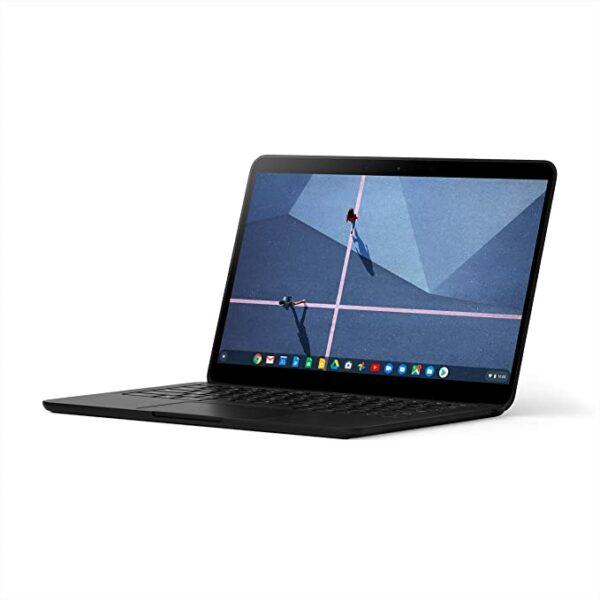
If you love Chromebooks, the Google Pixelbook Pro is the best iteration of the 13-inch laptop line. The Chrome OS platform is able to shine the most in this version, and there's plenty of little design features that make it worth your time (like a textured bottom so it isn't always sliding off your lap while you're working).
The developers clearly took care to implement certain features to make this 13-inch laptop worth your while. Certainly not as impressive as a MacBook, but a step up from your typical Chromebook, the Pixelbook Pro allows you to have the best of both worlds without breaking the bank, making it another great cheap 13-inch laptop.
What’s in the box
Google Pixelbook Go
45 W USB-C™⁵ wall power adapter
USB-C™⁵ charging cable
Technical specs
Operating system: Chrome OS
RAM: 8GB
Processor: 8th Gen Intel® Core™ m3
Storage: 64GB
Screen resolution: 1920 x 1080
Screen size: 13.3-inches
Touch screen: Yes
Battery life: 12 hours
Battery type: 47 Wh battery
Audio connections: Dual front-firing speakers for better surround sound
Webcam: 2 megapixel, ƒ/2.0 aperture, 1.4μm pixel size
Color: Black
Pros
Colorful display
Powerful speakers
Solid battery life
Cons
No fingerprint scanner
Get 6 free months of Amazon Prime with Student Beans
6. Asus Flow X13 — $1399.99
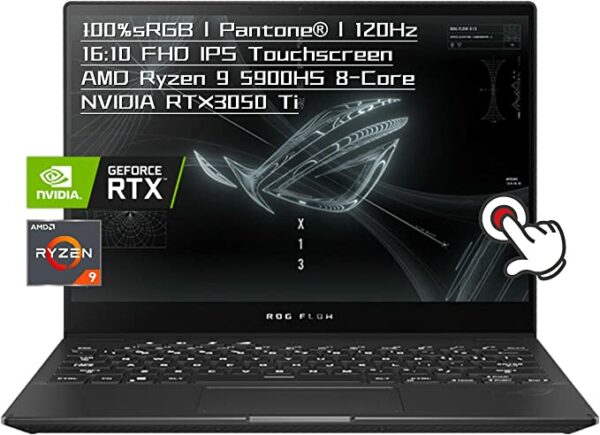
For all the gamers out there, you don't need an expensive desktop PC to get your gaming in. The 13-inch Asus Flow X13 packs a serious punch despite its small size. The taller aspect ratio gives you the perfect setup for gaming, along with being a 360 degree convertible 2-in-1.
Words like "thin" and "light" and "portable" aren't normally associated with gaming laptops, but the Flow X13 isn't here to be your typical gaming laptop. The setup is slightly compromised due to the smaller 13-inch size, but if you're dying to game on campus without lugging your PC to your dorm, you need to get your hands on this now.
What’s in the box
Asus Flow X13
Charging cable
Technical specs
Operating system: Windows 11
RAM: 16 GB DDR4
Processor: 5th Gen AMD Ryzen 9 5900HS 3.3GHz
Storage: 4.6 GHz
Screen resolution: 1920 x 1200
Screen size: 13.4-inches
Screen type: IPS
Touch screen: Yes
Battery life: 10 hours
Battery type: Lithium ion
Audio connections: 2-speaker system with Smart Amplifier
Webcam: 720P HD camera
Color: Black
Pros
Super portable
Solid performance
Comfortable keyboard and touchpad
Cons
Mediocre battery life
Get 6 free months of Amazon Prime with Student Beans
7. HP Spectre x360 — $1249.99
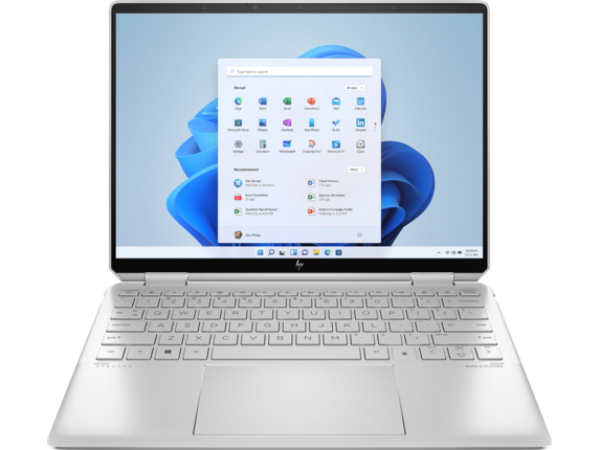
Who says style and substance can't go together? The 13-inch HP Spectre x360 is a gorgeous laptop with serious processing power. The fingerprint scanner means you don't have to mess with trying to remember all your passwords, and it can easily convert into a 13-inch tablet, too.
The display is one of the best available thanks to an unbeatable OLED screen, but some of the computing power isn't as strong as it should be compared to other 13-inch laptops on this list. If visuals are at the top of your list, and you're willing to compromise on a few other areas, this is the perfect 13-inch laptop for you.
What’s in the box
HP Spectre x360
Charging cable
Technical specs
Operating system: Windows 11
RAM: 4.4 GHz
Processor: Intel® Core™ i5-1235U
Storage: 512 GB PCIe® NVMe™ TLC M.2 SSD
Screen resolution:
Screen size: 13.5-inch
Screen type: OLED
Touch screen: Yes
Battery life: 17 hours
Battery type: 4-cell, 66 Wh Li-ion polymer
Audio connections:
Webcam: HP True Vision 5MP IR camera with camera shutter
Colors: Natural Silver, Nightfall Black, Nocturne Blue
Pros
Feels luxurious
Bright display
Fast performance
Cons
Terrible webcam
Tiny touchpad
Save up to 45% at HP with Student Beans
8. Microsoft Surface Laptop 4 — $799.99
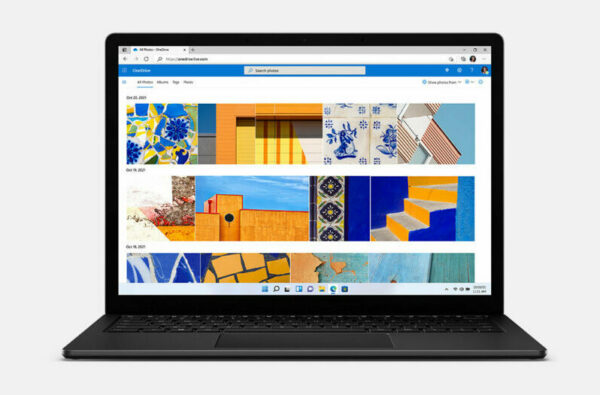
For Windows 11 users, the Microsoft Surface Laptop 4 is one sure to make your MacBook-using friends jealous. The display is more vivid than the newest MacBook Pro, and the processing speed is one of the fastest available in a 13-inch laptop.
The addition of the Intel Skylake Chip, a new Type Cover keyboard, and faster SSD mean that the performance has been elevated above and beyond the previous iterations of the Microsoft Surface. There's a noticeable difference between the Surface 3 and 4, so spend the extra money for the superior model of this 13-inch laptop.
What’s in the box
Microsoft Surface Laptop 4
Power supply
Technical specs
Operating system: Windows 11
RAM: 8GB, 16GB or 32GB LPDDR4x RAM
Processor: Quad Core 11th Gen Intel® Core™ i5-1135G7 processor
Storage: 256GB
Screen resolution: 2256 x 1504
Screen size: 13.5-inch
Screen type: PixelSense™ Display
Touch screen: Yes
Battery life: 19 hours
Audio connections: Omnisonic Speakers with Dolby Atmos®7
Webcam: 720p HD f2.0 camera
Color: Matte Black, Ice Blue, Platinum, Sandstone
Pros
Sleek design in plenty of colors
Bright display
Long battery life
Cons
Thick bezels
Save 10% at Microsoft with Student Beans
9. Apple MacBook Pro — $1299.00
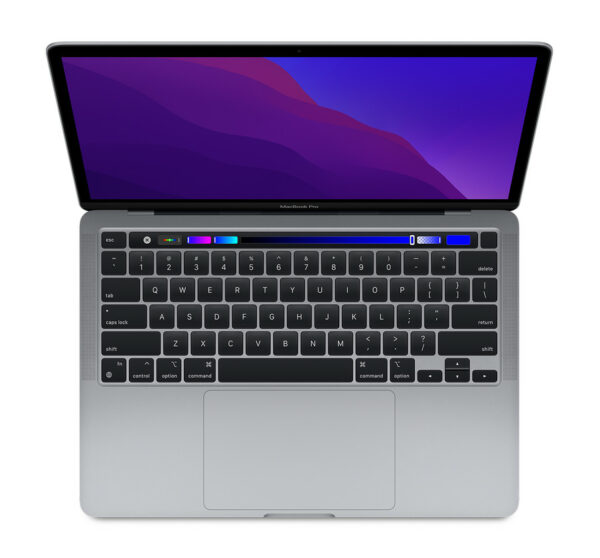
If you're needing a powerful 13-inch laptop when you head off to college, your only real option is the MacBook Pro. The M1 processing chip is faster than anything else available, and it's a whopping $500 cheaper than the Intel version of essentially the same 13-inch laptop.
Apple obviously goes first-class with everything it does, but all of those features can easily drain the battery if you're not careful. Having three Thunderbolt ports means you can easily hook up your tech without worrying about having enough space to charge all your gear, which is always an added bonus, as 13-inch laptops usually don't come with very many ports.
What’s in the box
MacBook Pro
USB-C charging cable
61W USB-C Power Adapter
Technical specs
Operating system: iOS
RAM: 8GB
Processor: 8-core GPU
Storage: 256GB
Screen resolution: 1680 x 1050
Screen size: 13.3-inch
Screen type: LED
Battery life: 20 hours
Battery type: 58.2-watt-hour lithium-polymer battery
Audio connections: Stereo speakers with high dynamic range
Webcam: 720p FaceTime HD camera
Colors: Space gray or silver
Pros
Insanely fast
Beautiful display
Brilliant speakers
Cons
Touch bar is annoying
Save $100 at Apple with Student Beans
10. Lenovo ThinkPad X13 — $972.60
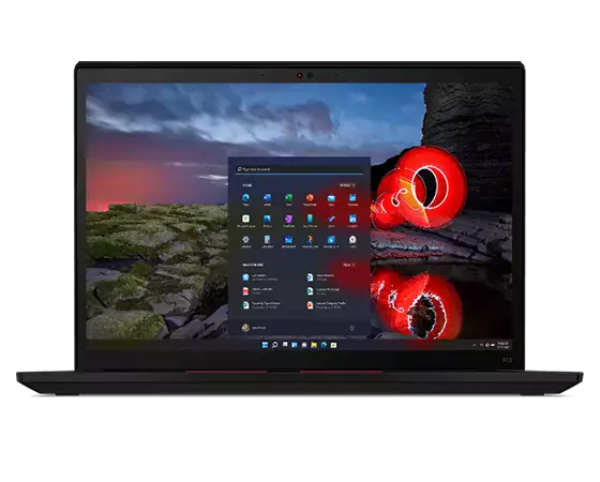
If you're going to be running around campus all day, you don't want a laptop that's going to weigh you down. That's why we recommend the Lenovo ThinkPad X13 as a solid 13-inch laptop. Coming in at just under two pounds with a high-end performance that can't be beat, you can't argue with a price tag of under $1000 for a solid 13-inch laptop for students.
While the features might not be the most cutting-edge of the bunch, it more than makes up for it with a stunning display that easily supports 4K viewing. Plus, you can't beat the ultra-light and super portable design of this 13-inch laptop that Lenovo is known for.
What’s in the box
Lenovo ThinkPad X13
65W AC Adapter
Technical specs
Operating system: Windows 11 Home
RAM: Up to 32 GB LPDDR4x 4266MHz
Processor: Up to 11th Generation Intel® Core™ i7-1185G7 Processor with vPro™
Storage: Up to 1 TB PCIe SSD
Screen resolution: 1920 x 1200
Screen size: 13.3-inch
Screen type: IPS
Touch screen: Yes
Battery life: 14 hours
Battery type: 4 Cell 54.7Wh
Audio connections: Dolby Audio™ Speaker System
Webcam: 720p HD with webcam privacy shutter
Color: Black, storm gray
Pros
Extremely portable
Excellent battery life
Nice display
Cons
Bezels are too big
Save 5% at Lenovo with Student Beans
People Also Ask...
How big is a 13-inch laptop?

While this may seem like a straightforward question, a 13-inch laptop can encapsulate anything from 13.1-13.9 inches. The most common laptop sizes when it comes to 13-inch laptops are 13.3-inch, 13.4-inch, and 13.5-inch. While not a huge difference, it's important to check the specs so you know exactly what you're getting. By the way, this measurement is taken from the screen diagonally, or corner to corner, to get the biggest distance.
13-Inch Or 15-Inch Laptop For College?

This really comes down to budget and personal preference. Some people love the portability of 13-inch laptops, while others swear by their larger, 15-inch counterparts. Here's a few things to keep in mind as you shop:
What's your budget? Larger laptops tend to cost most for a few reasons. More materials = more money. Larger laptops also usually have more memory, faster processors, and higher screen resolutions, all of which contributes to a higher price tag.
Which features are most important to you? If having a lightning fast computer with vivid displays is a must, you might want to go for a 15-inch laptop. But if you're just using it for average schoolwork and some streaming, you'll be fine with a 13-inch laptop.
How much are you going to be carrying it around with you? Some people get bigger laptops and treat them like a desktop and don't transport them very often. But if you're going to be taking your laptop to campus every day, you'll notice the difference in size and weight between a 13-inch and a 15-inch laptop.
Is A 13-inch Laptop Too Small?

As someone who swore up and down by 15-inch laptops for years, I can say you don't notice the difference very much. It certainly isn't too small for most things you use your laptop for. However, if you're working on any kind of visuals on your laptop (graphic design, film editing, etc.), a 13-inch laptop might not have the display capabilities and overall size you're looking for.
No matter your budget or needs, there's a 13-inch laptop out there for you. Just be sure to remember Student Beans as you get to shopping — save your money with those sweet student discounts!
Need some audio accessories to go with your new laptop? Check out the best noise cancelling headphones for under $100, along with the best headphones with a microphone!
Need ways to cure your boredom? Check out our ultimate guide to student entertainment.
Unlock even more with Student Beans
All your favourite brands at your fingertips, from fashion and beauty to food and drink, available to college and uni students aged 16 and over. Dive into our blog to find tips and advice to help you navigate student life, from applying to college to life after graduation.
- Sign up for a Student Beans account or log in to start saving on the biggest and best brands.
- Download the Student Beans app to unlock exclusive app-only discounts.