Lectures in one tab. A seminar reading in another. A Netflix tab open just in case. Every student's laptop or tablet ends up juggling more than it should, so getting the right one matters.
iPad and MacBook both qualify for Apple's education pricing, and both show up regularly in our deals at Currys John Lewis and Apple itself. Here's every current model, what things actually cost right now, and exactly who each one suits.
Music, tv, gaming and more, our guide to student entertainment will make sure you’re never bored.
Jump to:
iPad vs MacBook: the quick verdict
Short version: an iPad wins on price, portability and note-taking. A MacBook wins on proper multitasking, coding and creative software. Here's the snapshot:
Need | Best pick |
Cheapest way into Apple's ecosystem | |
Reading, annotating and lecture notes | iPad or iPad Air |
Essays, spreadsheets and everyday uni work | MacBook Air or MacBook Neo |
Coding, video editing or heavy design work | MacBook Pro or iPad Pro |
Tightest budget, still genuine Apple hardware | MacBook Neo |
Neither one is objectively better. It all comes down to what actually gets typed, edited or annotated on it day to day.
How much does an iPad cost for students?
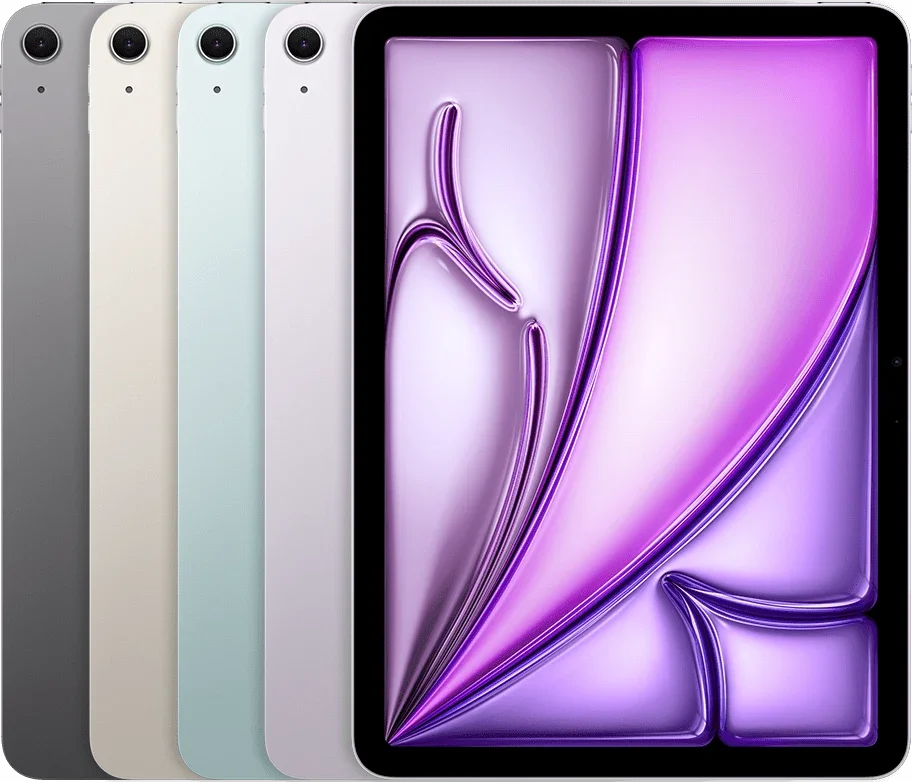
Every current iPad qualifies for Apple's education pricing, and Currys is matching Apple pound for pound right now, so there's no hidden discount to chase elsewhere. Here's how the range stacks up:
Model | Chip | Full price (Apple) | Apple Education Store | Best price spotted elsewhere | Trade-in credit |
A16 | £429 | £409 | £429 at Currys (price-matched) | Up to £460 | |
M3 | £749 | £699 | £749 at Currys (price-matched) | Up to £460 | |
M5 | £1,199 | £1,099 | £1,199 at Currys (price-matched) | Up to £460 |
Trade-in value depends on the old device and its condition, not which new iPad it's going towards.
The standard iPad is still the one to start with for most courses. It's the cheapest way in, and it gets through lecture slides, seminar reading and group chats without complaint. Want a steer on storage size? Our best iPad for students guide goes into more detail.
iPad vs iPad Air vs iPad Pro: what's the difference for uni?
iPad: the budget pick
The standard iPad runs on the A16 chip. That's last year's phone-grade power rather than the newest chip, but it's still plenty for lecture notes, seminar reading, browsing and streaming. It's the lightest and cheapest of the three, and the one most students should start with.
Best for: everyday note-taking, reading and general uni life on the tightest budget.
Skip it if: the course leans on multitasking, photo or video editing, or needs a bigger screen.
iPad Air: the all-rounder
iPad Air runs on the M3, the same family that powers the Mac. That means proper multitasking, faster Apple Pencil Pro support and a 13-inch screen option, without stepping up to Pro pricing.
Best for: design, film or photography-adjacent courses that need real multitasking without full Pro money.
Skip it if: budget's tight and the course doesn't call for heavier creative work. The standard iPad does the essentials for less.
iPad Pro: the power option
iPad Pro runs on the M5, with an Ultra Retina XDR display and enough power for genuinely professional creative work: think Final Cut Pro, complex Procreate files, or LiDAR-based scanning.
Best for: art, design, architecture or film courses that need studio-grade tools in a tablet.
Skip it if: the course doesn't call for professional creative software. Most students will never touch what this thing can actually do.
Apple Pencil and keyboard costs: what fits which iPad?
Remember that if you're buying an iPad, you'll most likely want to buy an Apple Pencil and/or keyboard, which is an additional cost to consider.
Neither Apple Pencil nor any Magic Keyboard comes in the box, and picking the wrong one is an easy way to waste money on something that won't even pair. Here's what actually works with what:
Accessory | Price (Apple) | Works with |
£79 (£69 education) | iPad, iPad Air, iPad Pro | |
£129 | iPad Air, iPad Pro only | |
£249 | iPad only | |
£269 | iPad Air only | |
£299 | iPad Pro only |
Apple Pencil Pro doesn't work with the standard iPad at all, so budget buyers are stuck with the USB-C Pencil. That's no bad thing, since it's £50 cheaper anyway and still covers notes, sketches and markup. Each keyboard is locked to its own iPad line too: a Magic Keyboard Folio won't pair with an iPad Air, and a Magic Keyboard for iPad Air won't fit a standard iPad. Add a keyboard and Pencil to any iPad and the total creeps up by £300 to £400, worth factoring in before comparing the total against the budget MacBook Neo.
How much does a MacBook cost for students?

MacBook pricing had a proper shake-up in 2026 thanks to the MacBook Neo, Apple's first genuinely budget Mac. Here's the current range:
Model | Chip | Full price (Apple) | Apple Education Store | Best price spotted | Trade-in (Apple) |
A18 Pro | £599 | £499 | Amazon (occasional £50 off) | Up to £350-665 | |
M4 | £999 | £899 | £928.97 at Currys | Up to £350 | |
M5 | £1,599 | £1,499 | £1,249 at Currys (limited-time offer) | Up to £665 |
Trade-in value depends on MacBook model and condition
MacBook Air is still the safest all-rounder for most degrees. MacBook Neo has properly changed the maths for anyone on a tighter budget who still wants a real Mac instead of a Chromebook.
Apple's education price is the benchmark across all three, so check our Apple student discount first. The AO.com student discount is regularly the sharpest alternative on MacBook Air, and the John Lewis student discount is worth exploring too.
MacBook Neo vs Air vs Pro: what's the difference for uni?
MacBook isn't one laptop any more. It's three genuinely different machines at three very different prices, and picking the wrong one means either overspending or being stuck with something that can't keep up. Here's what actually separates them.
MacBook Neo: the budget pick
MacBook Neo runs on an A18 Pro chip, which is closer to an iPhone's brain than a proper Mac's. That's exactly why it's cheap. It handles browsing, streaming, email, docs and light editing without breaking a sweat, but 8GB of memory as standard means it runs out of puff fast with heavier multitasking, coding environments or serious creative software.
Best for: humanities, business, law and anyone who mostly needs email, lecture slides and Google Docs.
Skip it if: the course involves coding modules, video editing or anything Adobe.
MacBook Air: the safe all-rounder
MacBook Air runs on the M4, proper Mac silicon rather than a scaled-up phone chip, and it's fanless, so it stays whisper quiet in lectures and libraries. It comfortably handles everyday uni work plus first and second-year coding modules, without the price tag of a Pro.
Best for: most degrees, especially anyone not yet sure how demanding their course software will get.
Skip it if: the course already involves heavy compiling, machine learning or serious video or 3D work.
MacBook Pro: the power option
MacBook Pro runs on the M5, with M5 Pro and M5 Max versions available for anyone who genuinely needs the extra grunt. It's the only one of the three built for sustained heavy workloads: full Adobe Creative Cloud, 4K editing, 3D rendering, large datasets, the lot.
Best for: computer science, engineering, film and design courses that max out an Air.
Skip it if: the course is mostly essays and spreadsheets. That's an Air or a Neo doing the same job for hundreds less
Which one is right for your course?
Humanities, social science and essay-heavy courses
MacBook Air or MacBook Neo covers this comfortably. Reference managers, long essays and forty open browser tabs all run better on macOS than iPadOS. An iPad Air still makes a solid second screen for reading and annotating journal articles, mind.
Art, design and film courses
iPad Pro with Apple Pencil is hard to beat for sketching, storyboarding and editing on the move. But full Adobe Creative Cloud, 4K video editing or 3D rendering needs the extra grunt only a MacBook Pro brings.
Computer science, engineering and data-heavy courses
MacBook Air handles most first and second-year coding modules without issue. Anything involving heavier compiling, machine learning or large datasets points straight towards a MacBook Pro.
Business, law and general uni life
Standard iPad or MacBook Neo both do the job here: email, lecture slides, group projects and the odd Netflix binge between deadlines. Pick the iPad for portability, the Neo for a proper keyboard and full macOS.
Worth checking the best iPhone deals for students too, since Apple's education bundles sometimes throw in extra savings when a phone gets added to the same order.
FAQs
Is an iPad or MacBook better for university?
Neither is better across the board. An iPad suits reading, annotating and portability. A MacBook suits essays, coding and heavier software. Course and budget make the final call.
Can students get an Apple discount?
Yes. Apple's education store offers savings on iPad, MacBook and Apple Watch, and Student Beans users can add app-only codes on top through participating retailers.
What's the difference between iPad, iPad Air and iPad Pro?
iPad runs a phone-grade chip and suits notes, reading and browsing. iPad Air steps up to Mac-grade silicon for proper multitasking and creative work. iPad Pro adds a pro-level display and enough power for professional creative software, at a price most courses don't call for.
What's the cheapest MacBook for students?
The MacBook Neo, from £599 (£499 with an education discount), is currently the cheapest genuine Mac Apple sells.
What's the difference between MacBook Neo, Air and Pro?
Neo runs a phone-grade chip and suits browsing, streaming and docs. Air runs proper Mac silicon and covers most degrees comfortably, coding included. Pro adds serious power for heavy compiling, video editing or 3D work, at a price most courses don't actually need.
Is an iPad good enough to replace a laptop?
For lecture notes, reading and browsing, yes. For essays, coding or heavier multitasking, a laptop still makes life easier, even a MacBook Neo or Air rather than a full MacBook Pro.
Unlock even more with Student Beans
All your favourite brands at your fingertips, from fashion and beauty to food and drink, available to college and uni students aged 16 and over. Dive into our blog to find tips and advice to help you navigate student life, from applying to uni to life after graduation.
- Sign up for a Student Beans account or log in to start saving on the biggest and best brands.
- Download the Student Beans app to unlock exclusive app-only discounts.