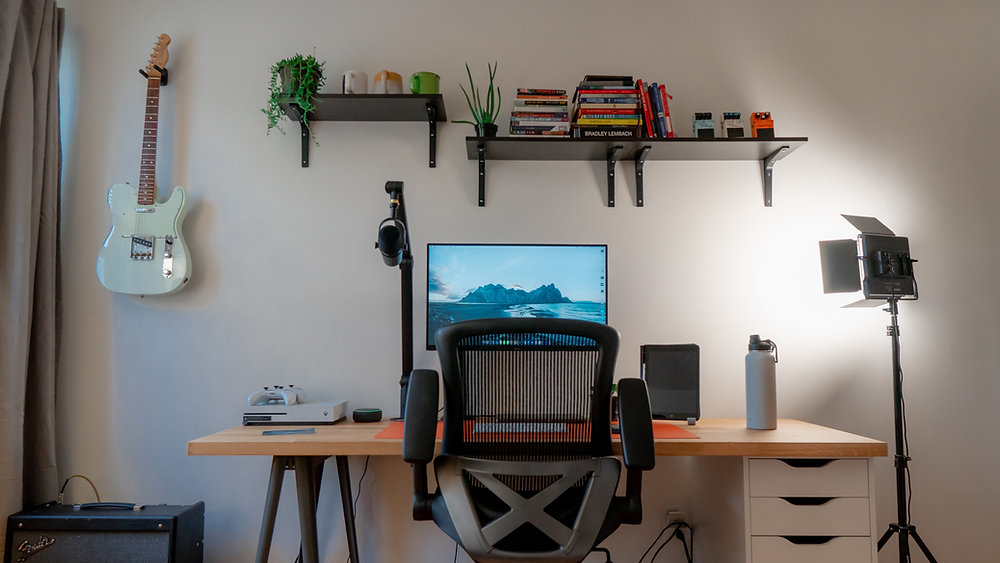
Revamp your desk setup with a Currys student discount.
Sorry to break it to you, but you’re going to have to study while you’re at university. It’s not all fun and games like Freshers Week, unfortunately.
But hey! Studying can be fun, especially if you have a dedicated study space that is perfectly equipped with everything you need. A laptop while in bed is not always going to cut it.
From the environment you’re in to the actual desk setup itself, you need a study space that functions for you. And you can do it with a Currys student discount to help make your student budget last a little longer.
Jump to:
Create the perfect study space
There will be days where you’re not going to want to surface from your blanket haven. You’ll drag the laptop out to attempt some assignments but be distracted by Netflix or doom-scrolling. And fairs. It do be like that sometimes.
But, if you have an actual dedicated study space, you might be more inclined to study — and more efficiently, too.
The main elements of a great study space include:
Location: choose a quiet spot away from distractions. Living in student housing can make this difficult to achieve, but you can create a corner in your bedroom that is away from the hustle and bustle of shared rooms.
Lighting: Natural light will always be the best, so having a window near your study space is ideal. Or if that’s not possible, desk lamps are great at minimising eye strain in dim settings.
Cleanliness: we don’t mean having a complete spring-clean every time you want to study, we mean keeping the clutter controlled and avoiding too much on your desk (which can be annoying and act as a distraction).
Comfort: don’t make the room too hot or too cold, add personality to your space like plants or a picture of family and friends. It doesn’t have to give waiting room vibes!
Ideal desk setup
Now you’ve got the environment sorted, you’ll need a desk setup that helps you physically, or studying might end up giving you back pain way earlier than needed.
Desk
Hopefully, you’ll have a desk of sorts included in your student room. If for some reason you haven’t got one, and are in need of one that will actually fit in the room, Currys has your back.
Easy to assemble and just under a metre in size, this desk will fit into any snug room and provide the perfect space to study.
Chair
Again, hopefully you’ll have a chair included with your room, but it might not be that great.
If you want to upgrade your seat, this office chair from Currys is perfect. It has adjustable height and tilt, and the shaped backrest provides lumbar support which will keep you comfy while studying.
Laptop
Every uni student needs a laptop. It’s a uni essential.
If you need a new laptop that won’t combust, use our Currys student discount for 10% off all Windows laptops — like this Lenovo IdeaPad laptop.
A second screen/monitor
A second screen might be considered a bit of a luxury, but it is so worth it. Having your work spread across multiple screens is a lot easier than moving from tab to tab.
Currys have got an incredible selection of affordable monitors, so consider picking one up if your studies would benefit from one! Like this Acer 24” screen for less than £100!
Laptop stand
A laptop stand not only helps free up some desk space, but it can also help lift the laptop to a more ergonomic position which will help you study more comfortably. Currys have tons of different laptop stands that are within student budget.
Keyboard and mouse
If you’ve got a 2-screen setup and a laptop stand, say goodbye to using the trackpad. A separate keyboard and mouse is a lot easier to control and work from. You’ll be able to set them up comfortably to avoid wrist strain.
Grab a wireless keyboard and mouse set from Currys, like this LOGITECH one for less than £20.
Headphones
Okay, so not a major priority. But headphones are a blessing for some during their studies. Whether you prefer headphones or ear buds, Currys have a huge variety that are also noise-cancelling (perfect for intense studying).
These JLAB Bluetooth noise-cancelling earbuds are great and affordable for students. Or for more retro vibes, JLAB have Bluetooth noise-cancelling headphones that are sleek and affordable, too.
Use our Currys student discount to upgrade your setup.
Workstation ergonomics
We’re not here to nag, promise. But when you’re spending hours writing essays, revising, or pretending to revise while staring at your screen, your setup actually matters. Good workstation ergonomics = less back pain, fewer headaches, and way better focus.
Think of your desk setup like a chain: if one thing’s off (your screen too low, chair too high, keyboard in a weird spot), it can throw everything else out of alignment. The goal is simple — keep your body in a natural, relaxed position so you’re not straining anything while you work.
Even small tweaks (like raising your laptop or adjusting your chair) can make a massive difference over time. Your future self during deadlines will thank you.
How should you adjust the height of your monitor
Your screen position is one of the biggest game-changers.
Ideally, the top of your screen should be at or just below eye level. That way, you’re looking slightly downward at your work — not craning your neck up or slouching down to see it.
A good rule of thumb:
Your eyes should naturally land on the top third of the screen
Keep the monitor about an arm’s length away (roughly 50–70 cm)
Tilt the screen slightly back to reduce glare and keep things easy on your eyes
When you're sitting at your workstation your hips should be…
Your hips are basically the foundation of your posture — get this right and everything else follows.
When seated:
Your hips should be level with or slightly higher than your knees
Your feet should be flat on the floor (or on a footrest if you’re vertically challenged — no shame)
Your knees should sit at about a 90-degree angle
Correct desk posture
Bring it all together.
Good posture doesn’t mean sitting stiff like a robot — it just means sitting in a way that doesn’t put pressure on your body.
Here’s a quick posture checklist:
Back supported by your chair (use that backrest!)
Shoulders relaxed, not hunched
Elbows close to your body at around a 90-degree angle
Wrists straight when typing (not bent upwards)
Head stacked over your shoulders — not jutting forward
And one more thing: even the perfect setup won’t save you if you sit there for 6 hours straight. Get up, stretch, grab a snack (brain food is crucial!), romanticise your life for a minute — then get back to it.
Unlock even more with Student Beans
All your favourite brands at your fingertips, from fashion and beauty to food and drink, available to college and uni students aged 16 and over. Dive into our blog to find tips and advice to help you navigate student life, from applying to uni to life after graduation.
- Sign up for a Student Beans account or log in to start saving on the biggest and best brands.
- Download the Student Beans app to unlock exclusive app-only discounts.