Here are the best smart TVs for streaming, no matter your budget.
When it comes to smart TVs for streaming, you may be bewildered by how many options there are, which TVs have which apps, which remotes come with your favourite streaming sites and the tap of a button…it can get overwhelming!
Fortunately, we’ve rounded up the best smart TVs for streaming to suit all budgets, including brands like LG, Samsung, TCL, Hisense and much more. Read on to find out which TV could be right for you, along with the various price points and our exclusive discounts available. But before we dive in, let’s check out what you should look for in a smart TV, as well as apps you should consider.
What to look for in a smart tv (interface, software, apps, special features etc.)
Input lag
Input lag is a huge determining factor if you’re a gamer. If not, you may still experience a better viewing experience if input lag is low. What input lag essentially is, is the time it takes for you to see what’s happening on screen vs real-time. Anything under 50ms is your best bet, but if you’re a hardcore gamer, you may want to look for a smart TV way lower than this.
Resolution
Many new generation consoles display videos at 4K (UHD), so the higher the resolution, the better the gaming quality and streaming experience. However, 1080p (Full HD) is also a great resolution for a smart TV, as it’s been the leading resolution for many years now. Just keep in mind that 4K resolution smart TVs will cost more, but if you want the best out of your binge-watching and video game sessions, then it’s one to consider.
Display Technology
HDR, or “High Dynamic Range” can really affect your viewing experience. If you find an HDR-compatible TV then you’re on to a winner, as you can expect brights and darks to be displayed as they truly should be.
Connectivity
This doesn’t just mean HDMI and USB ports, but you want to see if your TV is Wi-Fi enabled (which smart TVs are) or even see if it has Bluetooth for sharing or casting content to the smart TV.
If you have a new-gen console like the PS5 however, you will need to pay particular attention to the type of HDMI ports you have. For example, with HDMI 2.0, you can expect 60fps at 4K resolution which is what PS5 consoles are optimised for.
Best streaming apps for smart TVs
All streaming services have their benefits. Some may have shows not included on another streaming app, so in order to get enough coverage, here are the best streaming apps for your smart TV:
Netflix
Apple TV
Amazon Prime Video
Hulu
Disney Plus
BBC iPlayer
ITV Hub
My5
All 4.
Best smart TVs in 2022
1. LG 32LM6300 — £259.95
Best 32-inch smart TV
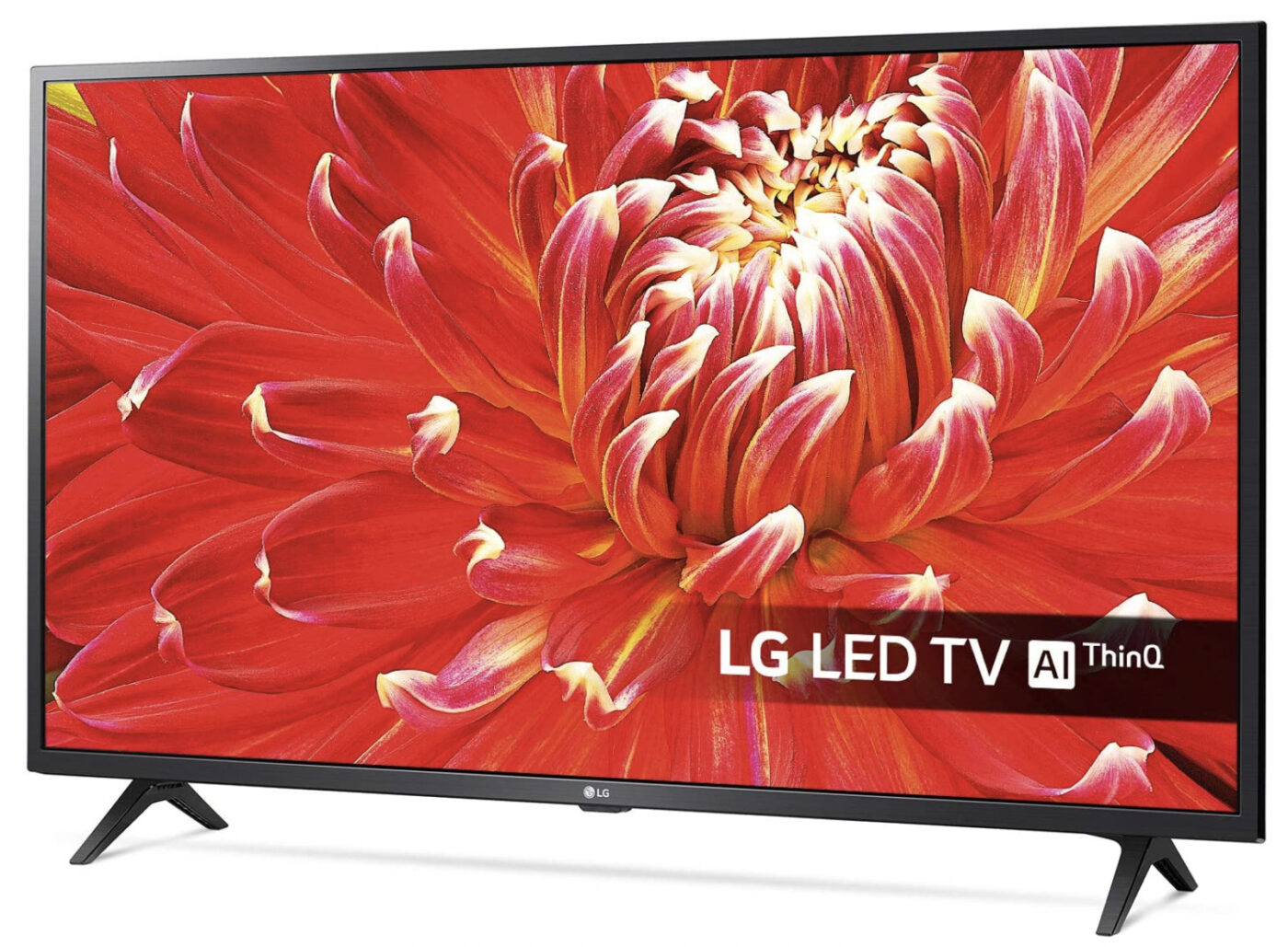
While the LG 32LM6300 may be small, it doesn’t compromise on quality. It’s got a Full HD LCD display, tons of ports including three HDMI ports, two USB ports plus built-in Wi-Fi to connect your devices to. For a small smart TV, it’s got a lot going for it.
Its direct backlight and gives the LG32LM6300 detailed imaging, amazing colours and improved upscaling thanks to its quad-core processor too. Plus, you can use its low input lag feature if you partake in fast or competitive gaming. To experience some of the best high dynamic range, you’ll be please to know this LG tv supports HDR10 and HLG too.
In terms of streaming services, this small smart TV supports LG’s WebOS smart platform, plus a huge range of streaming services including Netflix, Amazon, YouTube, Apple TV+ and many catch-up services in the UK.
Finally, with this cheap smart TV you can enjoy Freeview HD so you can watch all of your favourite broadcast programs. And with Dolby Audio and virtual surround sound, it makes it the best 32-inch Smart TV on the list.
What’s in the box?
1 x LG 32LM6300PLA 32" Smart Full HD HDR LED TV
1 x Remote
2 x Batteries
Various screws
1 x User manual.
Specs:
Available sizes: 32, 43-inch
Panel type: IPS LED
Resolution: HD
Input lag: Unknown
Refresh rate: 50-60Hz
VRR: No
ALLM: No
HDMI 2.1: No. HDMI 1.4 x 3.
Excellent and easy-to-use smart platform
Full HD resolution
3 x HDMI inputs.
None we can think of!
Get an Amazon student discount here.
2. Samsung AU7100 LCD TV — £289
Best 40-inch smart TV
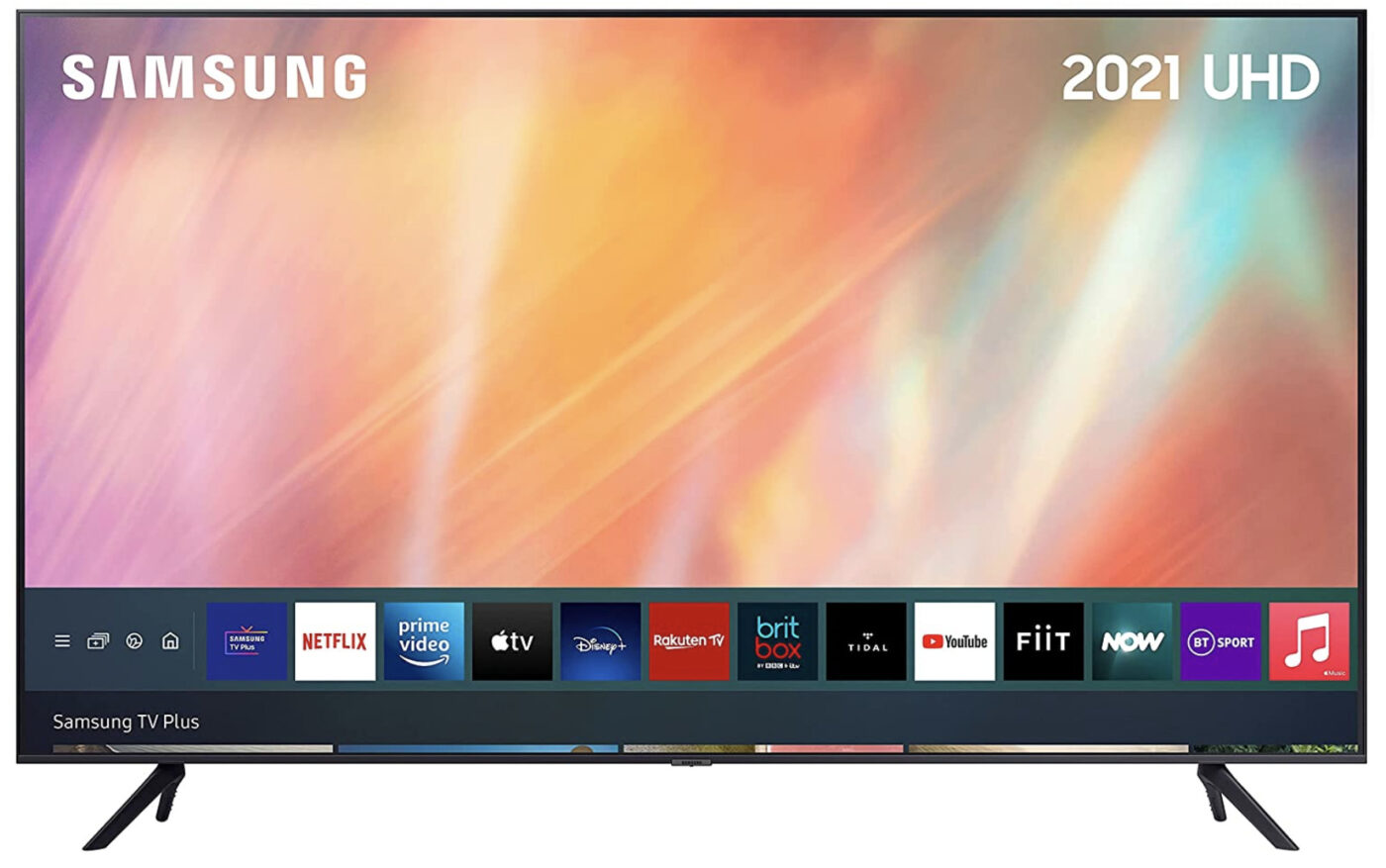
The Samsung AU7100 UHD Smart TV has a 4K LED display and is the best 40-inch Smart TV out there. Yes, it goves above the 40-mark by three inches, but with what it provides, you won’t be complaining.
The 43-inch variant of the Samsung AU7100 offers amazing colour differentiation and an OS with Tizen (Samsung’s own Smart TV OS) that’s easy to navigate and customise to your heart’s content.
The Samsung 43-inch smart TV comes with no integrated voice control with the AU7100 however, if your Samsung is on a common network it can be controlled using either an Amazon Alexa or Google Assistant smart speaker. Or there’s Samsung’s proprietary Smart Things control app you can use if you’d prefer. For one of the best 4K smart TVs on this list though, it may not be such a huge disadvantage.
The only downside with this Samsung Smart TV is the contrast between light and dark isn’t great. It’s not quite bright enough to achieve popping highlights and audio isn’t the most impressive thing. Plus, this cheap smart TV doesn’t come with Dolby Vision, which may be a dealbreaker for some (though you will get HLG, HDR10, and HDR10+ dynamic metadata).
What’s in the box?
1 x Samsung AU7100 LCD TV
1 x Remote control
2 x Batteries
1 x Power cable.
Specs:
Available sizes: 43, 50, 55, 65, 70, 75, 85-inches
Panel type: LED
Resolution: 4K
Input lag: 10ms
Refresh rate: 50Hz
VRR: No
ALLM: No
HDMI 2.1: No. HDMI 2.0b x 3
Great 4K picture quality
Easy Smart TV interface.
No Dolby Vision.
Get an Amazon student discount here.
3. LG 43UP75006LF — £279
Best 43-inch smart TV
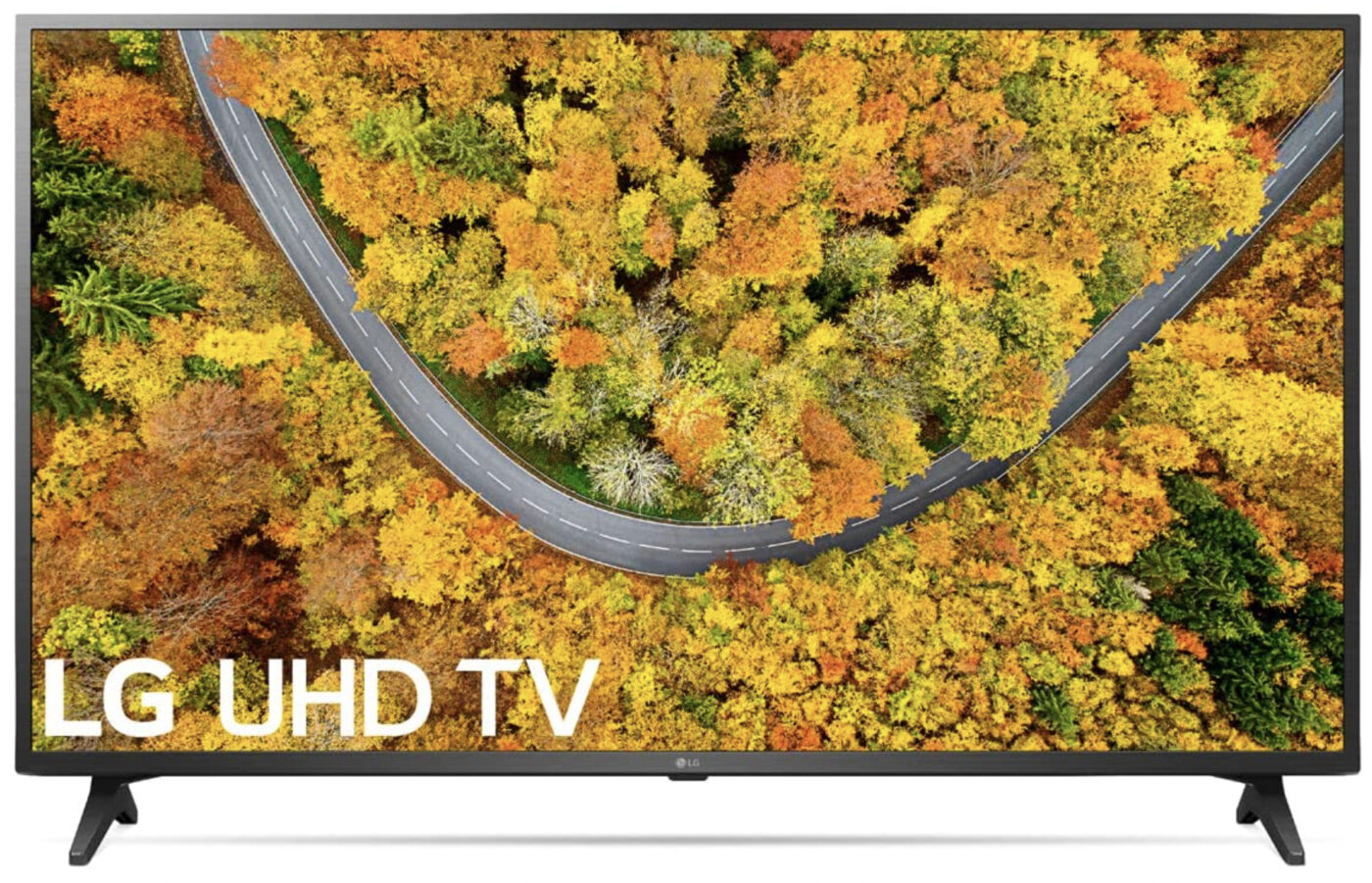
The LG UP75006LF is a Smart TV with 4K resolution that delivers excellent image accuracy and HDR tone-mapping along with an extensive range of streaming apps available through LG’s impressive webOS smart platform. Running at 60Hz, you can even use it as a gaming TV.
It uses IPS LCD panel technology with a direct LED backlight and supports HDR10 and HLG. However, there's no Dolby Vision which could be a dealbreaker. What could make up for this is LG’s amazing webOS smart platform which contains tons of streaming apps, Freeview Play and much more for you to enjoy when catching up on the latest shows.
This LG Smart TV only comes with two HDMI 2.0 outputs, however, they both support 4K at 60Hz, HDR, ALLm, HDCP 2.2 and CEC, which will really do you favours on competitive games but also reduce screen tearing. You can also find a satellite tuner, optical digital output, Ethernet port, USB 2.0 port and a Common Interface slot (CI slot). And with built-in Wi-Fi, Bluetooth and AirPlay 2, you can connect all kinds of devices to your LG Smart TV too.
There’s no Magic Remote which often comes with LG models, but its LG smart TV remote is decent nonetheless and can be held and used easily with one hand and even includes buttons for popular streaming services like Netflix for quick access.
What’s in the box?
1 x LG 43UP75006LF
1 x Standard remote
2 x Batteries
1 x Stand
Various screws
1 x User manual.
Specs:
Available sizes:
Panel type: LED
Resolution: 4K
Input lag: 10.6ms
Refresh rate: 60Hz
VRR: Yes
ALLM: Yes
HDMI 2.1: No. 2 x HDMI 2.0.
Amazing imaging
Great HDR tone mapping.
Low contrast ratio.
Get an Amazon student discount here.
4. Hisense 50A7100FTUK — £279
Best 50-inch Smart TV
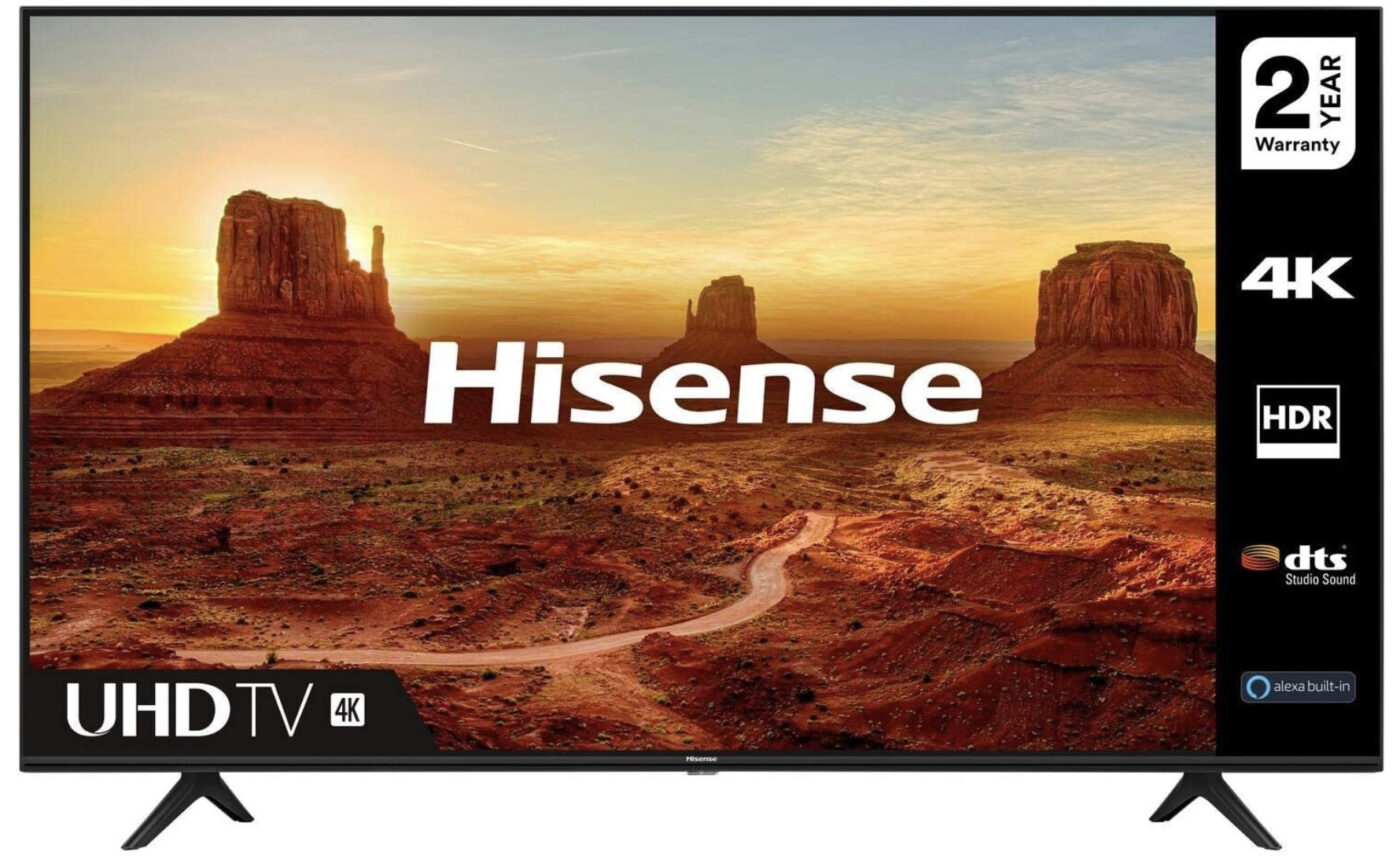
One of the best 50-inch Smart TVs has to be the Hisense 50A7100FTUK. It comes in a slim design with an adjustable pair of feet for easy placement and height adjustment. On the back of this Hisense Smart TV, you’ll find there are four HDMI ports (one that’s ARC compatible), two USB 2.0 ports, an optical digital audio output, an Ethernet port, a CI slot and a satellite input, as well as support for Bluetooth and Wi-Fi to connect your devices.
This 4K smart TV features the VIDAA U interface, but if you opt for the much larger 75-inch model, the interface differs from its VIDAA U4 on the latter. It’s very easy to use, with apps appearing larger when you hover over them. In terms of apps, it comes with popular streaming services you’d expect such as Netflix, Amazon Prime Video, YouTube, Rakuten TV and Freeview Play. The latter includes popular UK streaming apps such as BBC iPlayer, ITV Hub, All 4 and My5 to name a few.
The downside? You won’t get Disney Plus or Apple TV with this Hisense Smart TV, meaning you’ll need a peripheral device with those apps on to run them.
In terms of imaging the 50A7100FTUK TV offers bright and very detailed imaging in its HDR mode. Expect good blacks, tons of details and an excellent HDR Dynamic mode. Overall, it’s the best Hisense Smart TV at 43-inches to invest in.
What’s in the box?
1 x Hisense 50A7100FTUK
1 x Power Cable
1 x Remote Control
1 x Stand.
Specs:
Available sizes: 43, 50, 55, 58, 65
Panel type: LED
Resolution: 4K
Input lag: 20ms
Refresh rate: 60Hz
VRR: None
ALLM: None
HDMI 2.1: 4 x HDMI 2.0.
Adjustable feet to find a perfect viewing angle
Very detailed imaging.
No Disney Plus or Apple TV.
Get an Amazon student discount here.
5. Samsung QN90A QLED — £1,099
Best 55-inch smart TV
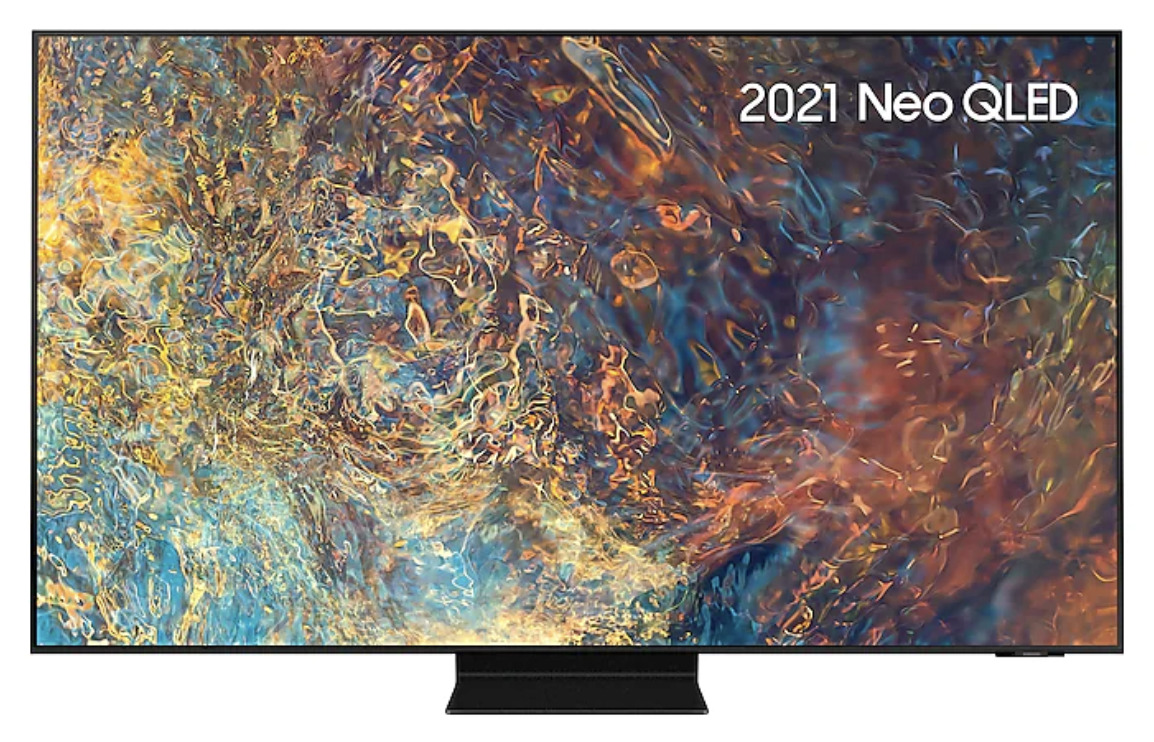
The Samsung QN90A has been highly commended for its ability to stream PS5 games (we went to great lengths in our best TVs for the PS5 port), but also lends itself to watching your favourite shows on various streaming platforms.
It has an LED panel which will cut out any worries for burn-in. It has a high refresh rate of 120Hz which is fantastic for fast-paced movies and games alike, plus four HDMI 2.1 slots to plug in all of your favourite next-generation consoles. You can enjoy the Mini LED backlighting system that gets very bright to make HDR games and shows really stand out.
It’ll look incredibly vivid too, thanks to its wide colour gamut. Compared to the LG C1 however, they’re both excellent choices for streaming TVs. While the LG has a near-infinite contrast ratio, the VA panel on the Samsung is unmatched. Plus OLED TVs don’t get as bright as LEDs.
In terms of app support, all the main streaming platforms are there including Netflix, Amazon Prime Video, Disney Plus and Hulu. If you want extra apps, all you have to do is sign in to your Samsung account.
What’s in the box?
1 x Samsung QN90A QLED
1 x Metal pedestal foot
Various screws
1 x Bracket
1 x Power cord
1 x Remote
1 x Manual.
Specs:
Available sizes: 43, 50, 55, 65, 75, 98
Panel type: QLED
Resolution: 4K
Input lag: 10ms
Refresh rate: 120Hz
VRR: Yes (FreeSync)
ALLM: Unknown
HDMI 2.1: 4 x HDMI 2.1.
Great viewing angles
Lots of HDMI ports.
Gaming mode can make some games more dark grey than black until adjusted.
Get a Samsung student discount.
6. TCL 65C815K 65-inch — £999
Best budget Smart TV With Roku
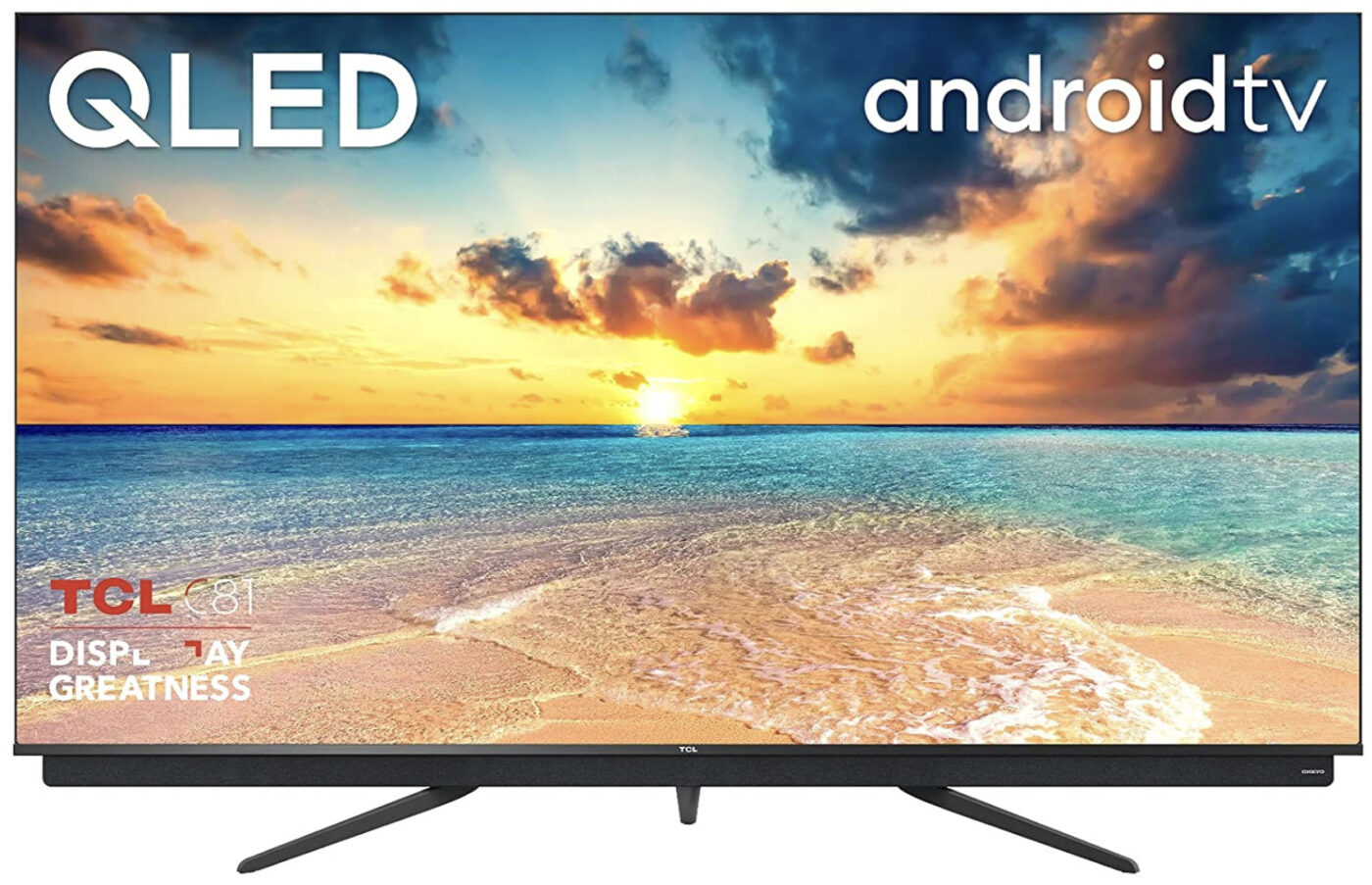
TCL is a brand that’s popular in the US and Asian markets, however, they released the TCL 65C815K in Europe and it’s become a popular choice as a Roku-enabled Smart TV. Just keep in mind that this model doesn’t get the full array of local dimming compared to models available outside of the UK.
Despite this, the TCL 65C815K comes in a great design with a blue-tinted soundbar by the Japanese brand Onkyo, on the bottom edge and offers amazing sound. The Onkyo sound system provides 70W of power through two forward-firing drivers, and one large bass radiator on the rear. There’s built-in Dolby Atmos decoding, too.
Plus, the TCL smart TV is also incredibly slim and stylish, which may make you sway towards it if that’s one of your requirements. It doesn’t really have a local dimming feature, despite the Smart TV carrying a Micro Dimming feature. All it does is refers to the way the TV’s processor breaks down images into small areas so that it can more accurately determine how best to render the finished image.
One advantage of the TCL 65C815K TV is its Clear Motion feature, which adds black frames into the image stream to give 24p movie sources a more cinematic look. A truly unique feature for this Roku TV. In terms of apps, you get a whole host of them, plus Netflix on the remote control. The only thing missing, really, is Apple TV.
Connections-wise, it includes three HDMIs and two USBs, which is reasonable for a 65-inch TV. However, none of the HDMI ports supports the latest gaming features of 4K at 120Hz, variable refresh rates or automatic low-latency mode switching.
What’s in the box?
1 x TCL 65C815K Roku Smart TV
1 x Remote control
1 x TV stand
1 x Power cable
1 x Connecting screws.
Specs:
Available sizes: 55, 65, 75-inch
Panel type: QLED
Resolution: 4K
Input lag: 21ms
Refresh rate: 120Hz
VRR: Yes
ALLM: Yes
HDMI 2.1: No. 3 x HDMI 2.0.
Great sound system
Roku-enabled.
Colours can be uneven.
Get an Amazon student discount here.
7. LG OLED C1 65-inch 4K HDMI 2.1 Smart TV with Dolby Vision IQ — £1,499
Best 65-inch smart TV
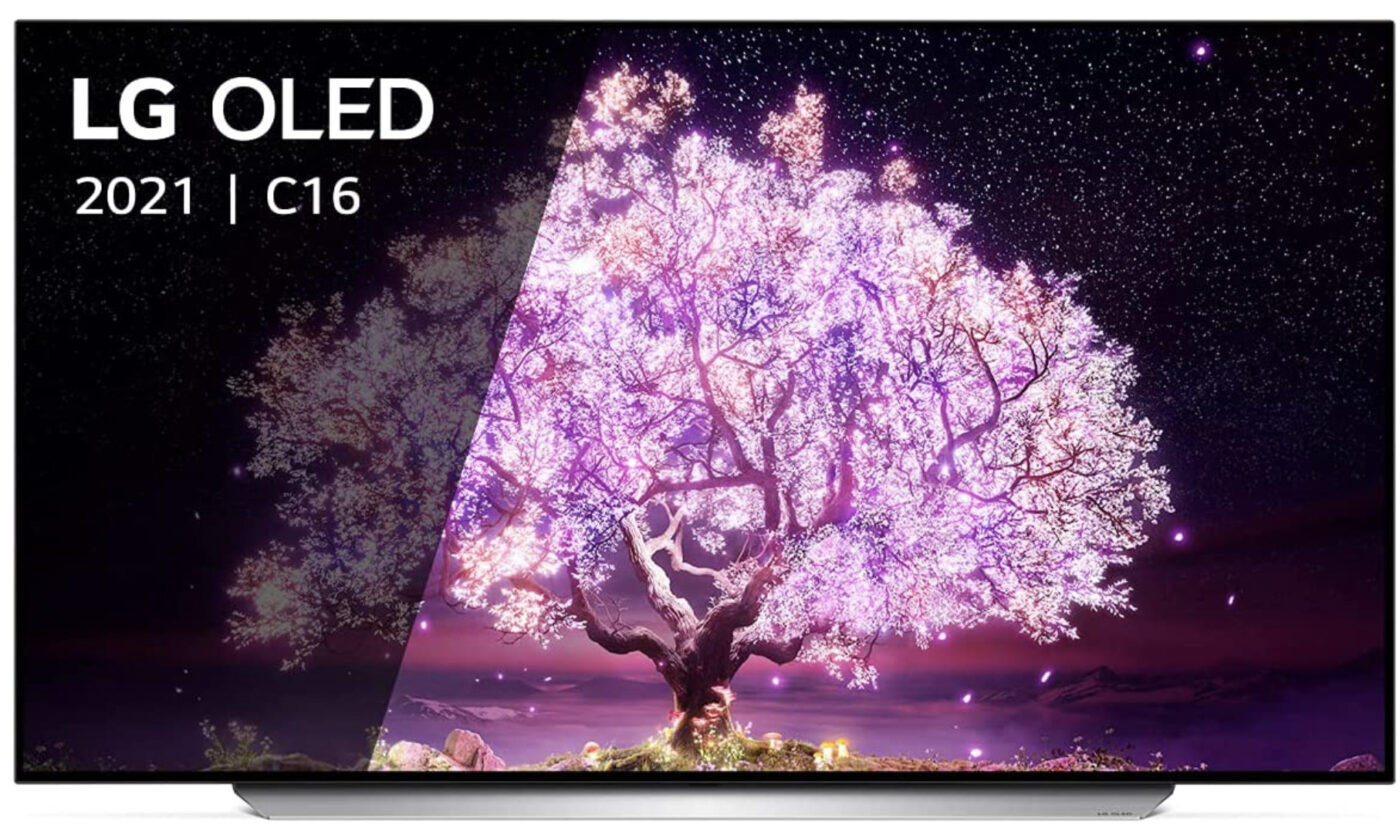
One of the best 65-inch Smart TV setups to invest in has to be the LG OLED C1. with inky black levels, OLED panels and amazing contrasts, it makes viewing shows in a light room a pleasure to view all of your favourite shows on streaming services. Its wide viewing angle means fantastic viewing no matter where you place the LG C1 too.
The LG C1 65-inch smart TV comes with four HDMI 2.1 ports that are enabled with VRR support, meaning you can connect next-gen consoles like the PS5 or Xbox Series One to any of these and reap the benefits of 120hz games with little to no lag. With the lack of lag, the LG C1 will provide smooth motion for a truly life-like feel, which isn’t just exclusive to gaming, but to fast-paced movies and shows. Plus, its HDR peak brightness is still pretty decent and has amazing contrasts for a truly lifelike feel.
LG's webOS faces don’t always match up to the competition out there (though it does have Netflix. YouTube. Amazon Video, however, has some smart options such as Google Assistant, Amazon Alexa voice plus AI-driven sports alerts and tons of gaming features.
The disadvantage? It’s got an OLED screen, meaning it can be prone to permanent burn-in. This happens when the TV constantly has the same static imagery for long periods of time. So try not to leave it on the apps menu for too long and turn it off when not in use.
What’s in the box?
1 x LG OLED55C14LB 55 inch 4K UHD HDR Smart OLED TV
1 x Magic Remote
2 x Batteries
1 x Stand
Various screws
1 x User manual.
Available sizes: 48, 55, 65, 77
Panel type: OLED
Resolution: 4K
Input lag: 1ms
Refresh rate: 120Hz
VRR: Yes (FreeSync and G-SYNC)
ALLM: Yes
HDMI 2.1: 4 x HDMI 2.1.
Wide viewing angles
Perfect blacks.
Risk of permanent burn-in due to being an OLED display.
Get an Amazon student discount here.
8. Samsung The Frame 32 Inch QLED TV – Smart TV — £369
Best budget smart TV
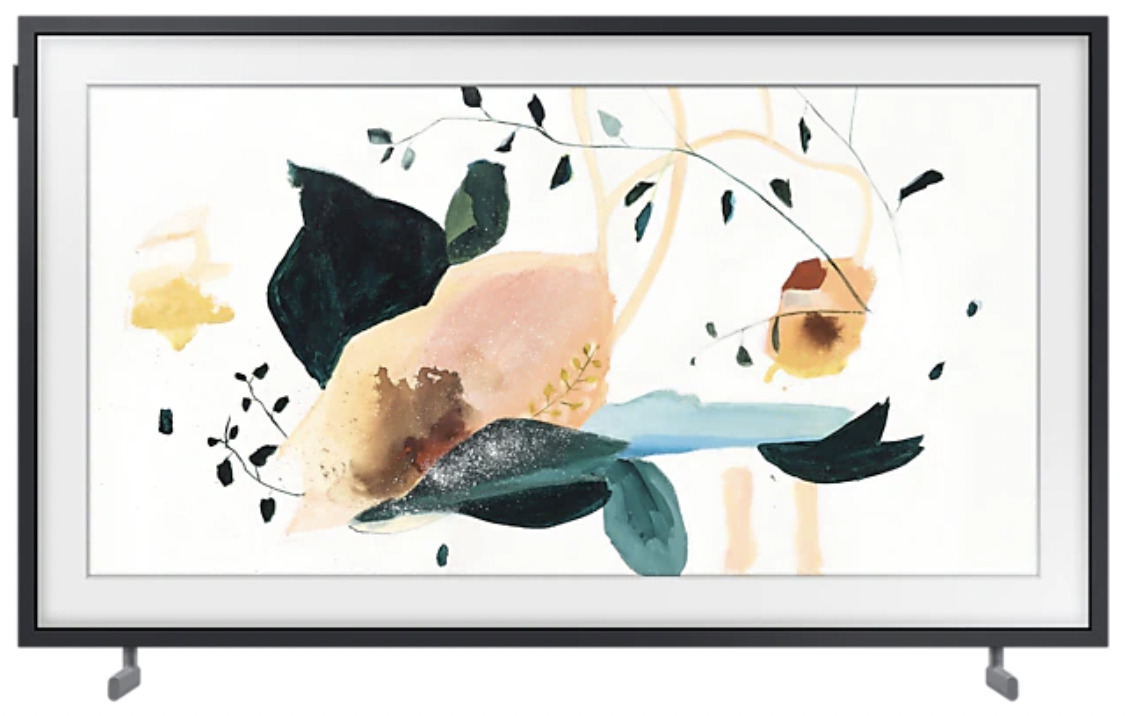
If you’re after a cheap smart TV then the Samsung Frame 32-inch QLED Smart TV is the one for you. This small smart TV from Samsung has brilliant HDR performance for its size, close to 700 nits of brightness in fact, plus HDR support, HLG and HDR10+.
Unfortunately, this Samsung smart TV doesn’t come with Dolby Vision (which is the case with most Samsung TVs), however, there are tons of streaming options via the Tizen OS, and Ambient Mode can display artwork when the TV is not in use to create a nice atmosphere if your room.
In terms of imaging presets, the Samsung Frame 32-inch comes with various modes such as Dybamicm Standard, Natural, Movie and Filmmaker Mode. Natural provides the brightest colours and highlights, but it’s good to have various options depending on the lighting around you. Plus, in addition to the presets, there’s an Intelligent Mode that adjusts images based on ambient light; it also offers an Active voice amplifier and Adaptive sound +, which similarly combats in-room ambient noise for immersive sound.
When it comes to streaming apps, you can connect a Dolby Atmos soundbar or system via its eARC, and you’ll be able to stream Dolby Atmos from compatible apps like Disney+ and Netflix. Plus, the remote features Netflix, Amazon Prime Video and Samsung TV plus to access these streaming services quickly. All the great features of the Samsung Frame smart TV in a compact size.
What’s in the box?
1 x Samsung Frame 32 Inch QLED TV
1 x Remote control
1 x Samsung Smart Control
1 x Batteries for remote
1 x Power cable.
Specs:
Available sizes: 32-inches only
Panel type: QLED
Resolution: 4K
Input lag: Unknown
Refresh rate: 50Hz
VRR: Unknown
ALLM: Unknown
HDMI 2.1: 2.
QLED quality TV
Tizen smart platform with Ambient Mode.
No Dolby Vision.
Get a Samsung student discount here.
And that rounds up the best smart TVs for streaming in 2022 in various budgets to suit all tastes. Which one stands out to you? Don’t forget to check out the rest of our student tech deals to see if you could save even more cash on your smart TV!
What is a Smart TV?
A smart TV is a TV that is connected to the internet to access popular streaming services without the need for a set-top box. Most smart TVs will have these apps built-in, or you can download them on their respective app stores. You can watch VODs (video on demand), play music, cast YouTube videos from your phone, browse your social media or get live sports updates. They’re incredibly handy and can house everything you need in one place.
Apps that typically come with smart TVs include Netflix, Amazon Prime Video, Hulu, Roku, BBC iPlayer, ITV Hub, All 4, My5 and much more. And if an app isn’t available, then you can connect your smart TV to your phone to watch your favourite shows.
How does a smart TV differ from a normal TV? Normal TVs simply don’t have the processing power to run apps and don’t often have Wi-Fi or Bluetooth enabled within them.
How to get Freeview on Samsung smart TV
Newer Samsung smart TVs don't have Freeview preinstalled because they aren't available on the platform. Getting Freeview on your smart TV varies per manufacturer. However, if you have a Samsung smart TV, here are the steps to follow to get Freeview on it:
Open the Samsung Smart Hub
Open the Apps tile
Go to the My Apps page
Highlight the Freeview app
Hold down the OK button until the app menu appears
Select Install/Reinstall to install the latest version.
How to get Disney Plus on Smart TV
Most smart TVs come with Disney Plus, however, some don’t, mostly Samsung models. The Disney Plus app is available to download on Samsung Smart TVs since 2016, so we’re going to show you how to get Disney Plus installed on your smart TV:
Ensure you’re signed up to Disney Plus (you can sign up on their website)
Connect your smart TV to the internet in your home
On the home screen, select the 'apps' icon
In the search box, enter "Disney+"
Select the Disney+ icon and "add to home". This will install and download the app
Open the app and log in.
Want to save on your next smart TV? Sign up to Student Beans to use our exclusive student tech deals, student gadget discounts and much more.
Unlock even more with Student Beans
All your favourite brands at your fingertips, from fashion and beauty to food and drink, available to college and uni students aged 16 and over. Dive into our blog to find tips and advice to help you navigate student life, from applying to uni to life after graduation.
- Sign up for a Student Beans account or log in to start saving on the biggest and best brands.
- Download the Student Beans app to unlock exclusive app-only discounts.