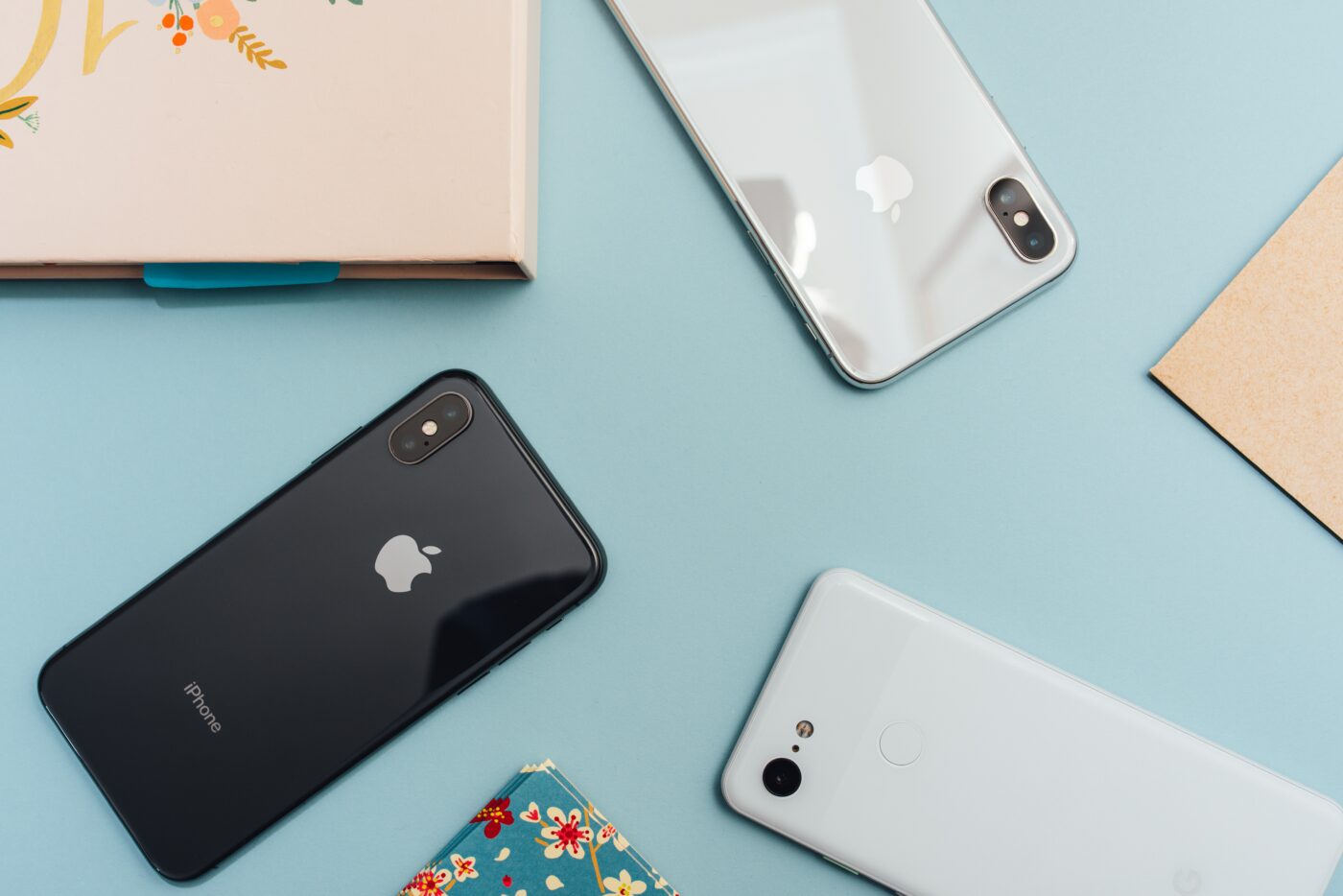
Here are the best laptops for students to get you set up for your studies.
Going to uni soon or need a new laptop for your studies? Finding the best laptops for studying can be tough. There are tons of laptops to choose from. Some are super expensive, while others are cheap and reflect that in the features that come with them.
We’ve popped a best student laptops guide together to help you pick the best laptop for your studies. There’s one to suit every budget, plus if you're wondering where the best deals are, there's a guide for that too.
Check out our laptop student discount page and secondhand laptop deals to see if you can get these laptops for less using our discounts too!
Our ultimate guide to student entertainment has loads more to keep you entertained.
Best 14-inch laptops for students
HP Spectre x360 14 — £1,199.99
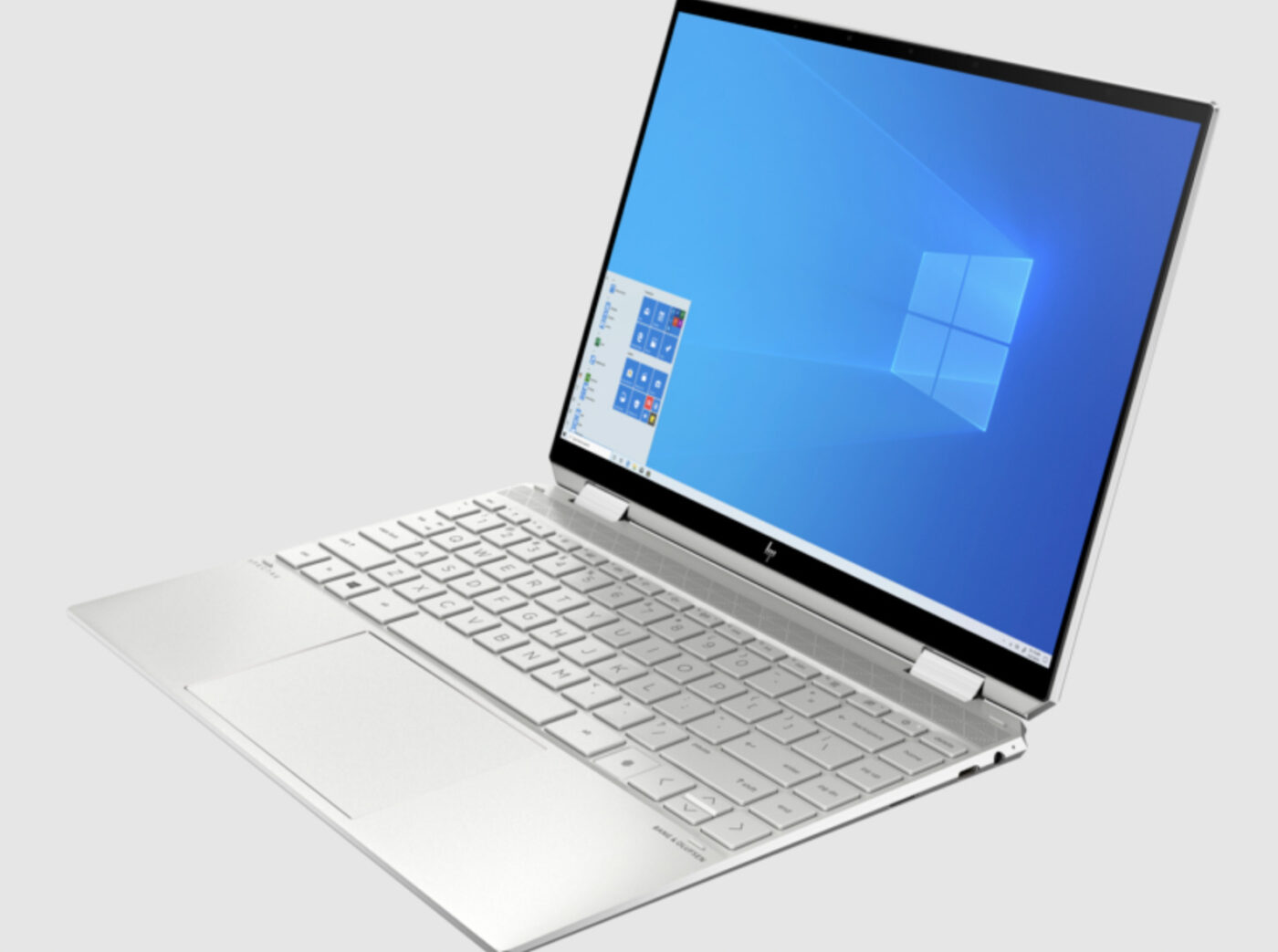
This HP small laptop may cost a little more than average, but it packs a serious punch. It’s one of the best 14-inch laptops on the market and was only released last year and sports a ton features you’ll find useful. It has a 3:2 aspect ratio display, 11th Gen Intel CPUs with Iris Xe graphics. Plus, it’s got a bright and vivid 1920 x 1280-pixel IPS and 3K2K OLED display, tons of battery life (it lasts 12+ hours) battery life and it’s super fast.
Lastly, the Spectre x360 14 is the best laptop if you want a convertible notebook with a generously sized touchpad. It’s got all the ports and it’s the full package if you ask us. In terms of small laptops, this is one of the best laptops for studying for portability as well as function.
What's in the box
1 x HP Spectre x360 14
1 x Sleeve
1 x HP Rechargeable MPP2.0 Tilt Pen
Technical specs
Operating system: Windows 11 Home
RAM: 8 GB LPDDR4x-3733 MHz RAM
Processor: Intel® Core™ i5-1135G7 (up to 4.2 GHz with Intel® Turbo Boost Technology, 8 MB L3 cache, 4 cores)
Storage: 512 GB PCIe® NVMe™ TLC M.2 SSD
Screen resolution: 1920 x 1080
Screen size: 14-inch
Screen type: OLED display
Touch screen?: Yes
WiFi?: Intel® Wi-Fi 6 AX201 (2x2) and Bluetooth® 5 combo (Supporting Gigabit data rate)
Ethernet: None
Battery life: 17 hours
Battery type: Lithium ion
Disc drive: None
Memory card reader: No
HDMI: None
Audio connections: Audio by Bang & Olufsen, Quad speakers, HP Audio Boost
Webcam: 5MP webcam
Colour: Natural silver, Nightfall Black, and Poseidon Blue
Fantastic OLED and FHD display options
Long battery life
Pricey
Get up to 40% off with our HP student discounts.
Acer Swift 3 Ultra-thin Laptop — £999.99
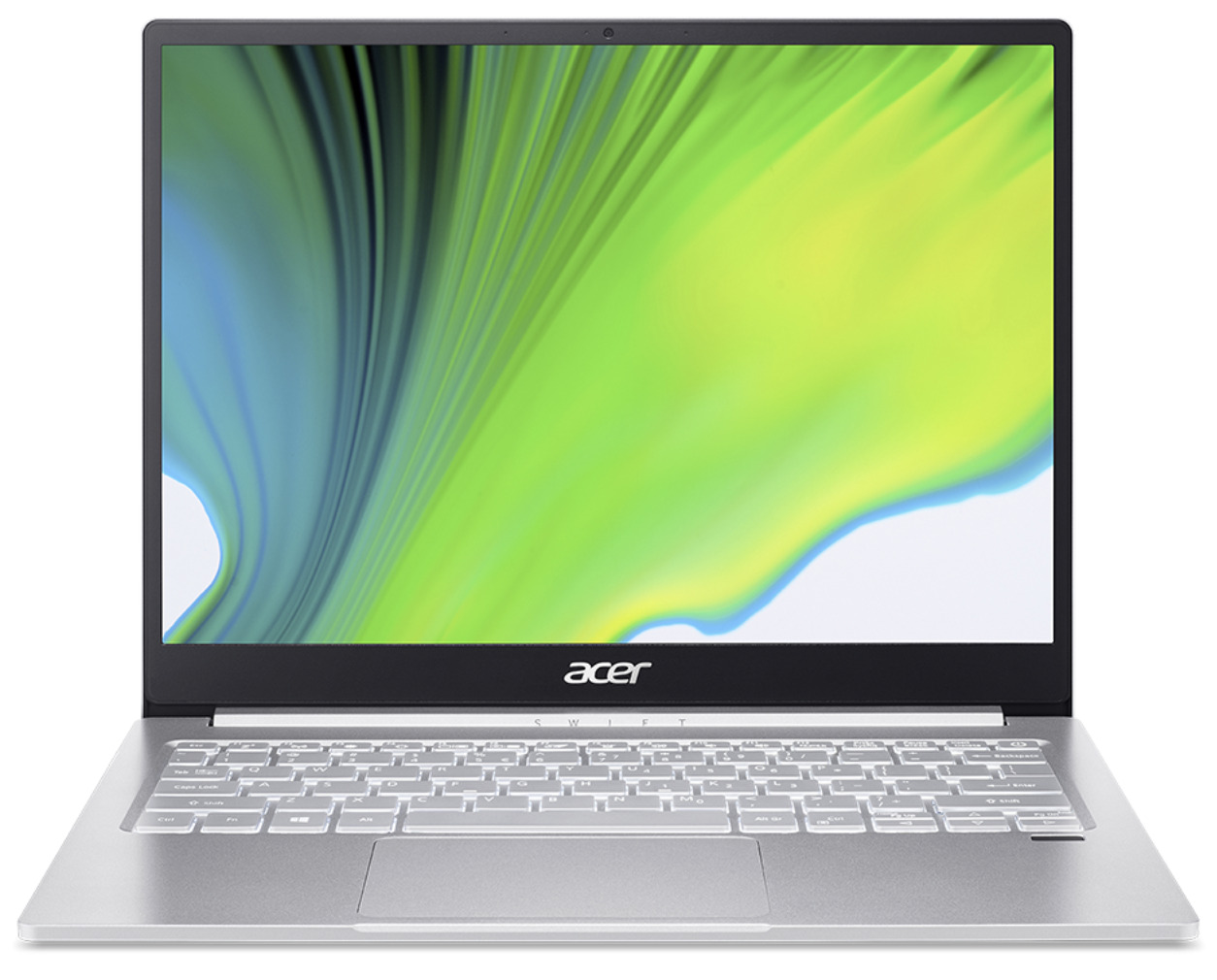
One of the best laptops for studying has to be this Acer Swift 3, purely for its lightweight portability and width. This cheap laptop for students is fantastic if you need something ultra-thin and isn’t an Apple MacBook. Weighing just 1.6 kg, this mini laptop is one of the best laptops under £1000 and offers a ton of features considering its size.
It’s powered by Windows 11, Intel® Core™ i7-1165G7 processor Quad-core 2.80 GHzm 16 GB memory and a 1 TB SSD. Plenty for a student that needs some serious horse power in a compact laptop. Let’s not forget its backlit keyboard which is great for working in areas with low-light.
What's in the box
1 x Acer Swift 3 Ultra-thin Laptop
1 x AC Adapter
1 x Power Cord.
Technical specs
Operating system: Windows 11 Home 64-bit
RAM: 16 GB, LPDDR4X
Processor: Intel® Core™ i7-1165G7 processor Quad-core 2.80 GHz
Storage: 1 TB SSD
Screen resolution: QHD
Screen size: 14-inch
Screen type: LCD
Touch screen?: No
WiFi?: Yes
Ethernet: No
Battery life: 14 hours
Battery type: Lithium-ion
Disc drive: No
Memory card reader: No
HDMI: 1
Audio connections: 2 speakers
Webcam: Yes
Colour: Silver.
Ultra lightweight
Backlit keyboard.
No SD card reader.
Save cash on this laptop with an Acer student discount on us.
Best 15.6-inch laptops for students
Galaxy Book Windows 11 (15.6”) — £699
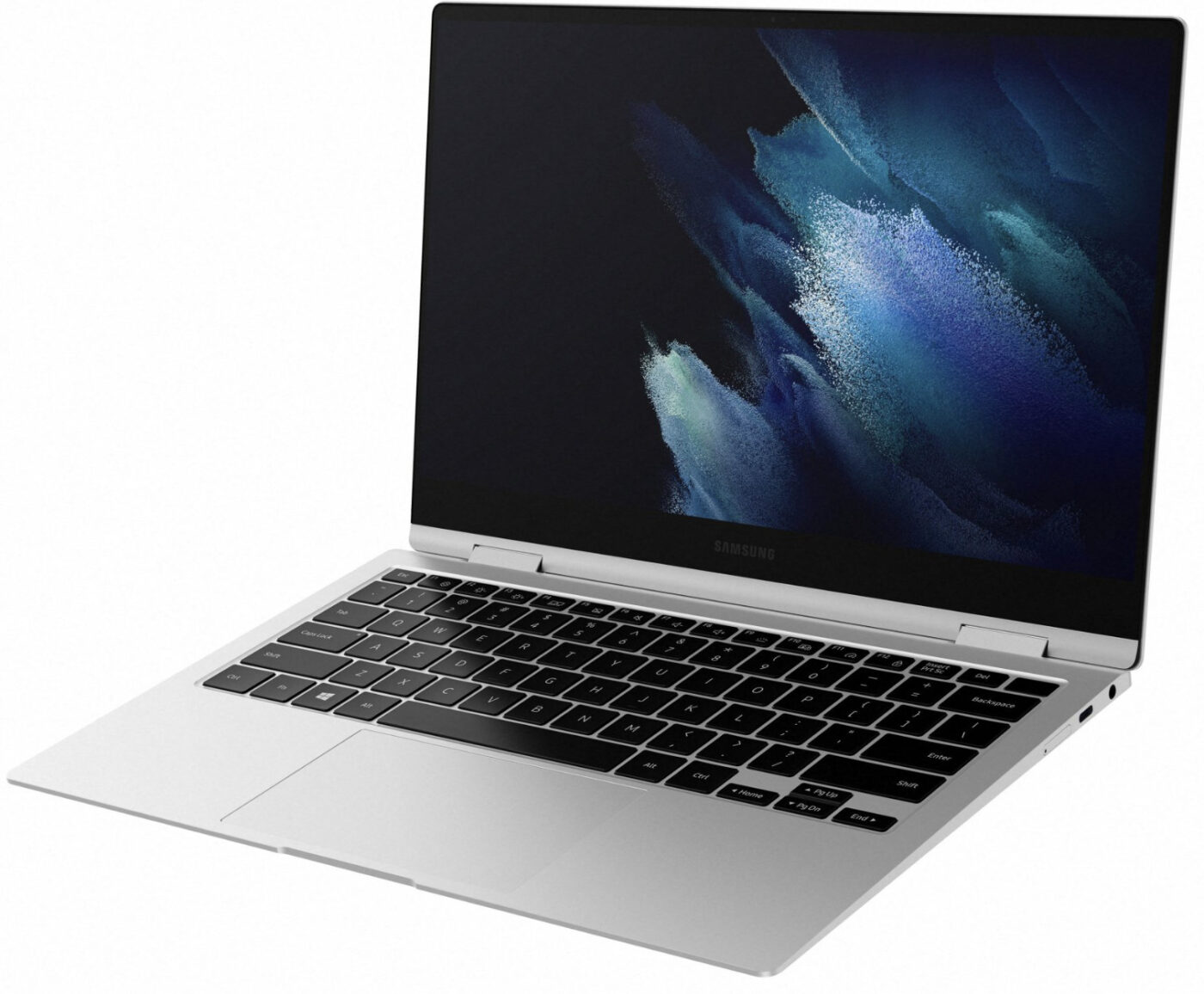
Looking for the best laptops for studying within the 15-inch mark? The weight is the first thing you’ll notice about the Galaxy Book 15.6-inch-laptop. Weighing in at just 1.05kg is nothing for a 15.6in notebook. Need more hard drive space or memory? Simply remove the four rubber feet and undo the screws they conceal and you can unclip the bottom panel and swap them out as you see fit (just make sure they’re compatible).
Its AMOLED display makes for the perfect contrast ratio too, however it's only a 1,920 x 1,080 141dpi resolution 60Hz panel, so it lacks the sharpness you find on laptops with 1440p or 4K screens. It’s no biggie if you’re not planning to do a ton of streaming or gaming, but worth noting regardless.
What's in the box
1 x Samsung Galaxy Book 15.6" Laptop
1 x Power adapter
1 x USB cable
1 x Ejection pin
1 x Quick start guide
Technical specs
Operating system: Windows 11 Home
RAM: 8 GB LPDDR4x Memory (On BD 8 GB)
Processor: Intel® Core™ i5-1135G7 Processor (2.4 GHz up to 4.2 GHz, 8 MB L3 Cache)
Storage: 256 GB NVMe SSD
Screen resolution: 1920 x 1080
Screen size: 15.6-inch
Screen type: OLED
Touch screen?: Yes
WiFi?: Wi-Fi 6 (Gig+), 802.11 ax 2x2
Ethernet: No
Battery life: 16 hours
Battery type: Lithium ion
Disc drive: No
Memory card reader: MicroSD Multi-media Card Reader
HDMI: 1
Audio connections: 1 Headphone-out/Mic-in Combo
Webcam: 720p HD camera
Colour: Mystic silver.
Thin and light
AMOLED display
Excellent battery life.
Shallow keyboard
No touchscreen.
Get this with a Samsung student discount to save cash.
Best 17.3-inch laptops for students
IdeaPad 3 (17" AMD) — £319.99
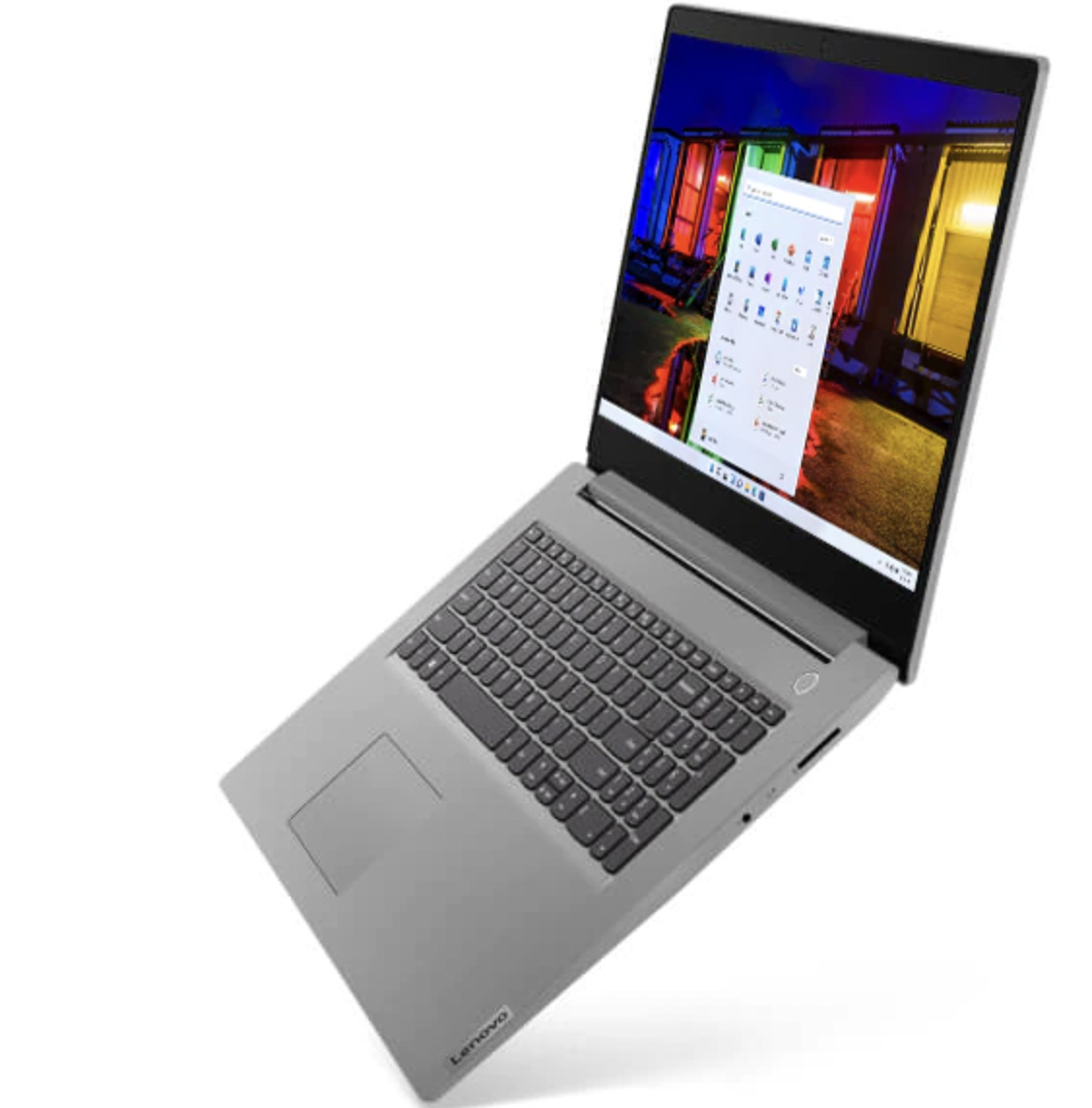
After a large budget laptop? The IdeaPad 3 17-inch is an absolute must on a budget and is one of the best laptops for studying if you're after a large screen. Despite its size, it weighs just over 2kg, which is fairly light compared to other laptops of this size. If design matters, even on a budget, you’ll be pleased to to know it has slim bezels and an HD Web camera with its own privacy shutter.
In terms of ports, you get a charging plug, a USB Type-A 3.2 (Gen. 1) port, an HDMI 1.4b connector, a USB Type-C 3.2 (Gen. 1) port, and an audio jack all on the left side. On the right, there is a USB Type-A 2.0 port, and an SD card reader. That’s a ton of jacks for a budget student laptop if you ask us.
What's in the box
1 x IdeaPad 3 (17" AMD)
1 x Charger.
Technical specs
Operating system: Windows 10 Pro
RAM: Up to 8GB
Processor: Up to AMD Ryzen™ R7-4700U Mobile Processor
Storage: Up to 1TB SSD + HDD combined
Screen resolution: FHD
Screen size: 17-inch
Screen type: Widescreen, Non-Glare, Anti-Glare TFT Display
Touch screen?: Yes
WiFi?: 2x2 WiFi 6 ax
Ethernet: No
Battery life: 13 hours
Battery type: Lithium ion
Disc drive: No
Memory card reader: MicroSD card slot
HDMI: HDMI 1.4b
Audio connections: 2 x 1.5W speakers with Dolby Audio™, Dual microphones
Webcam: 720p HD
Colour: Abyss Blue.
Robust, durable build
Comfortable typing experience
Affordable price.
Screen could be brighter
Average battery life
Low-powered components.
Get this with a Lenovo student discount to save cash.
Best Windows laptops for students
HP Pavilion 14 — £549.98
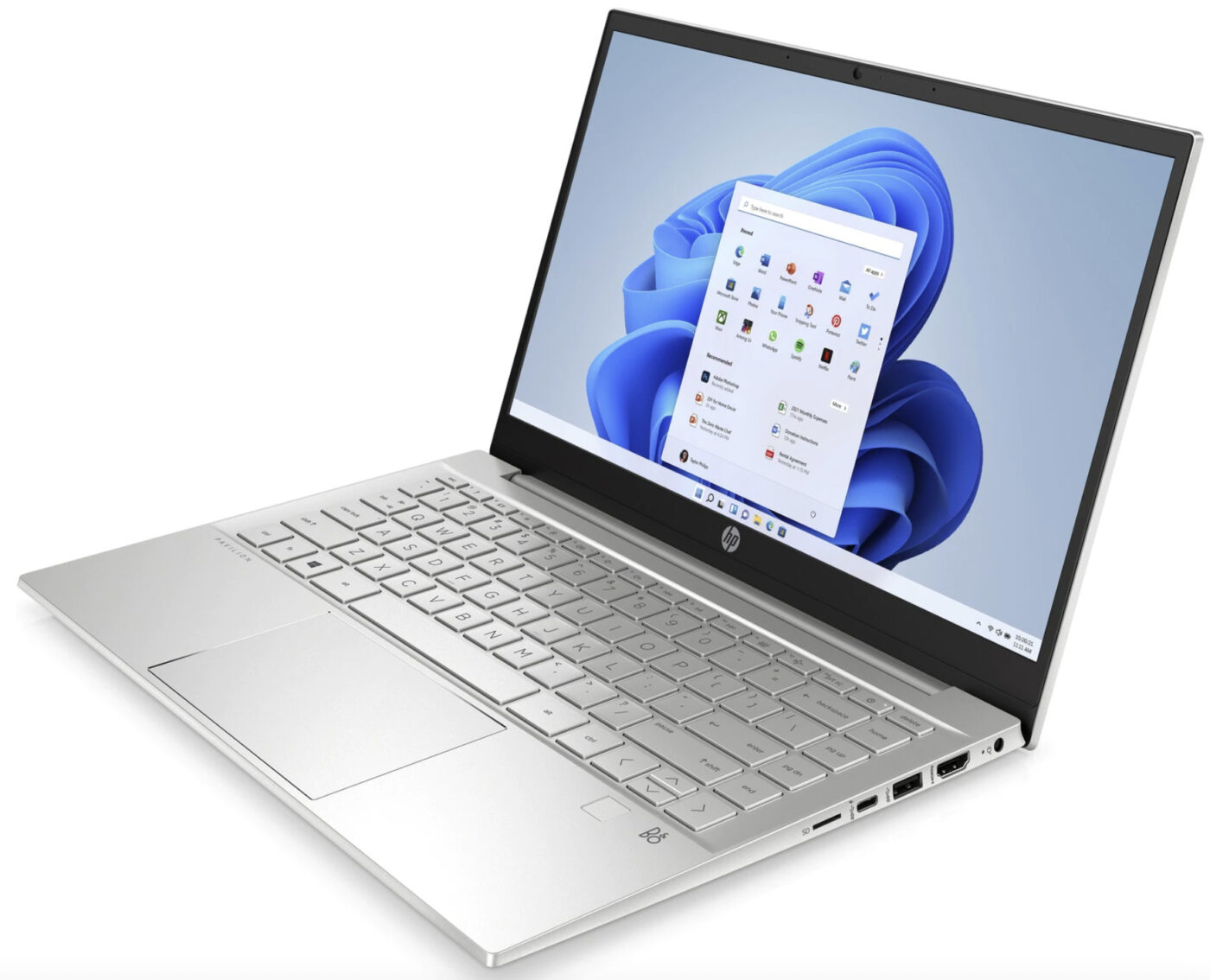
The HP Pavilion 14 is the best windows laptop for students. It includes an 8th generation Intel Core i5-8250U CPU, Intel UHD Graphics 620 GPU, a 256GB SSD and it’s an 8GB RAM laptop. And it looks stunning too, let’s not forget that.
Plus, you get a dedicated HDMI, USB Type-C and networking ports, too, meaning you can hook your laptop up pretty much anywhere. In terms of battery life, you’re looking at a hefty 11 hours, so you won’t have to leave the house with your charger if you don’t need it.
Considering its size, it’s a pretty cheap student laptop too. Definitely one worth considering on a budget.
What's in the box
1 x HP Pavilion 14
1 x Charging cable.
Technical specs
Operating system: Windows 11 Home
RAM: 8GB
Processor: Intel® Core™ i5
Storage: 256 GB SSD
Screen resolution: 1920 x 1080
Screen size: 14-inch
Screen type: 35.6 cm (14") diagonal, FHD (1920 x 1080), touch, IPS, micro-edge, anti-glare, 250 nits, 45% NTSC
Touch screen?: Yes
WiFi?:
Realtek RTL8822CE 802.11a/b/g/n/ac (2x2) Wi-Fi® and Bluetooth® 5 combo
Ethernet: No
Battery life: 8 hours
Battery type: Lithium ion
Disc drive: No
Memory card reader: microSD media card reader
HDMI: HDMI 2.0
Audio connections: Audio by B&O, Dual speakers, HP Audio Boost
Webcam: Wide Vision FHD IR Camera
Colour: Natural silver aluminium cover and keyboard frame, natural silver base.
Good all-rounder
Great battery life.
Not quite strong enough for heavy photoshop or video editing work.
Get up to 40% off with our HP student discounts.
Dell XPS 13 9310 — £1,149
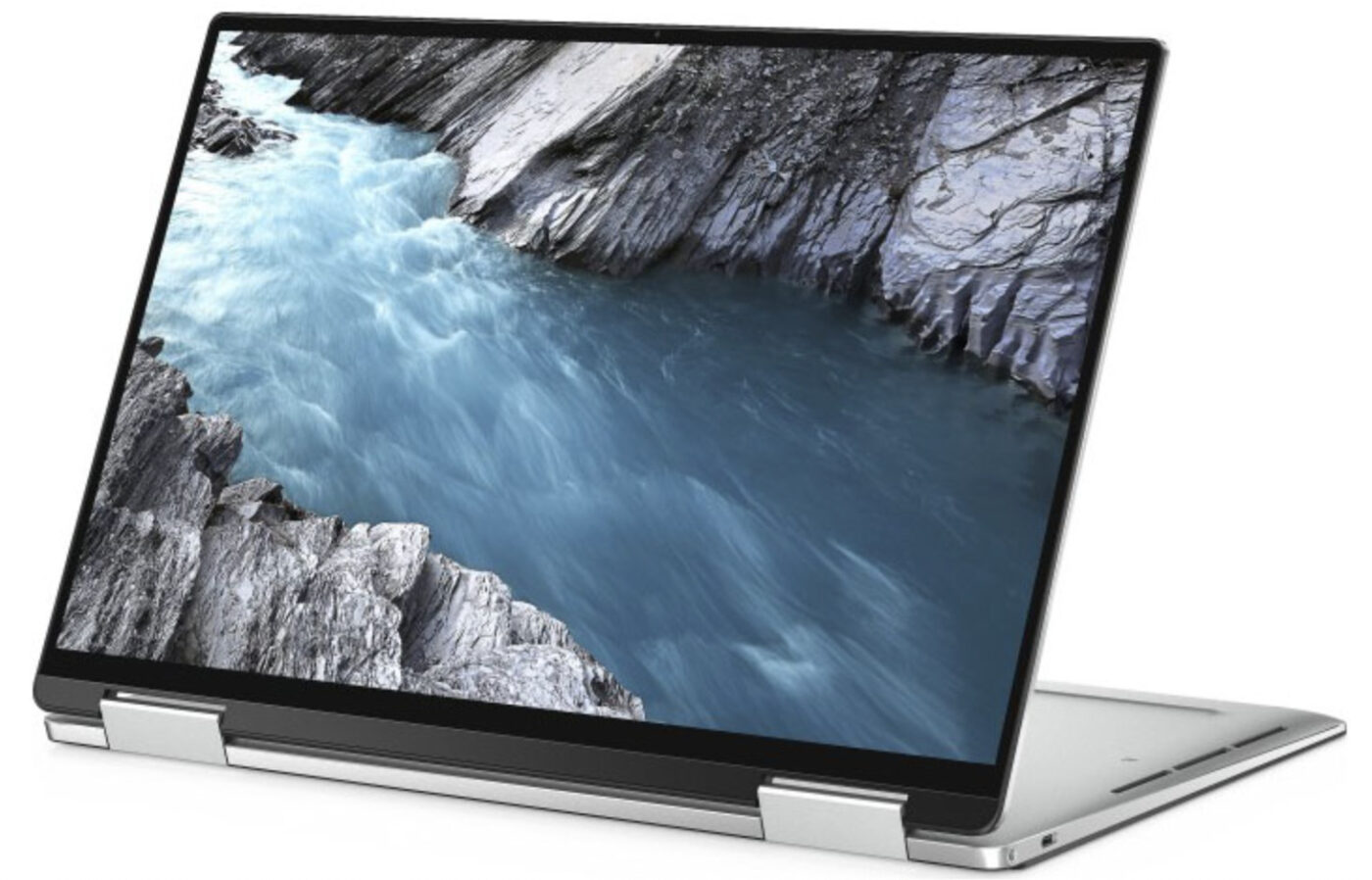
This touch screen windows laptop for students may be on the pricier side, but it’s well worth it for those who need this feature (as well as powerful processing speed. The XPS 13 is thin, yet very durable and lightweight. There's even a 2-in-1 version of the XPS 13, which sports a 360-degree hinge that lets you convert the laptop into a tablet. Great if you’re an art student or giving a presentation!
It comes with fantastic battery life too, up to 18 hours in fact. If you’re using productivity applications like Word (or let’s face it…Netflix), you may see this go down to around 11 hours. Which is still plenty for a day’s show binge.
What's in the box
1 x Dell XPS 13 (9310) laptop
1 x USB Type-C to USB Type-A converter dongle
1 x USB Type-C charger cable
1 x Power brick.
Technical specs
Operating system: Windows 10 Home 64bit
RAM: 8GB 4267MHz LPDDR4x
Processor: 11th Generation Intel® Core™ i5-1135G7
Storage: 512GB M.2 PCIe NVMe SSD
Screen resolution: FHD+ (1920 x 1200)
Screen size:
Screen type: InfinityEdge Non-Touch Anti-Glare 500-Nit Display
Touch screen?:
WiFi?: Killer™ Wi-Fi 6 AX1650 (2 x 2) and Bluetooth 5.1
Ethernet: None
Battery life: 11 hours
Battery type: 4-Cell Battery, 52 Whr (Integrated)
Disc drive: None
Memory card reader: MicroSD-card slot
HDMI: No
Audio connections: Stereo speakers (2.5W x 2 = 4W peak) professionally tuned with Waves MaxxAudio® Pro
Webcam: Widescreen HD (720p) 2.25mm
Colour: Black and white.
Vivid 16:10 screen
Long battery life.
Bit pricy.
Get cash off with our Dell student discounts.
Best Apple laptops for students
MacBook Air (M1, 2020) — £999
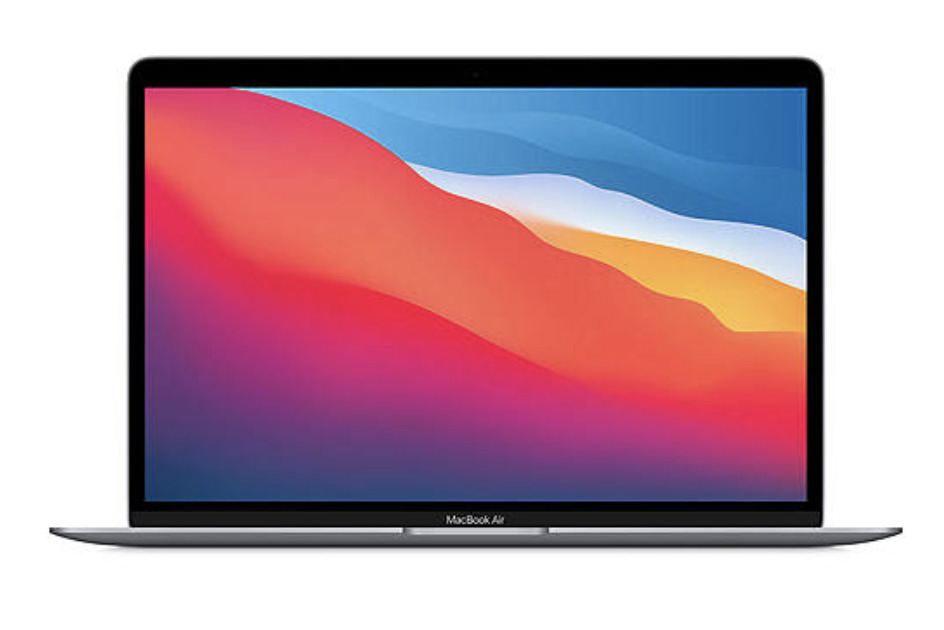
The M1 chip was a real game changer when this MacBook Air hit the shelves. The MacBook Air 2020 with the M1 chip is actually one of the fastest MacBooks on the market (and when compared by price, is sorta cheap compared to other MacBooks).
You’ll get a whopping 14+ hours of battery life and a silent processor, meaning you won’t need to worry about whirring fans in a quiet library. It’s the cheapest of the range measuring 13.3-inches, 0.6 inches thick and 1.28kg. Plus, it has a built-in 720p webcam, Magic keyboard and two USB-C ports. Also, the 13.3-inch, 2560 x 1600-pixel Retina display on the M1 model was improved with P3 colour coverage, making it more vibrant than the previous models.
What's in the box
1 x MacBook Air
1 x 30W USB-C Power Adapter
1 x USB-C Charge Cable (2 m)
Technical specs
Operating system: iOS
RAM: 8GB unified memory
Processor: Apple M1 chip with 8‑core CPU, 7‑core GPU and 16‑core Neural Engine
Storage: 256GB SSD storage
Screen resolution:
Screen size: 13-inch
Screen type: Retina display with True Tone
Touch screen?: No
WiFi?: 802.11ax Wi-Fi 6 wireless networking
Ethernet: None
Battery life: 15 hours
Battery type: Lithium-polymer
Disc drive: None
Memory card reader: No
HDMI: No
Audio connections: Stereo speakers, Wide stereo sound, Support for Dolby Atmos playback, Three-mic array with directional beamforming, 3.5 mm headphone jack
Webcam: 720p FaceTime HD camera
Colour: Space grey, gold, silver.
Smooth performance
Amazing battery life
Slim aluminium build that’s lightweight.
Not many ports.
Get an Apple student discount on this MacBook.
MacBook Pro 13-inch (Intel, 2020) — £1,299
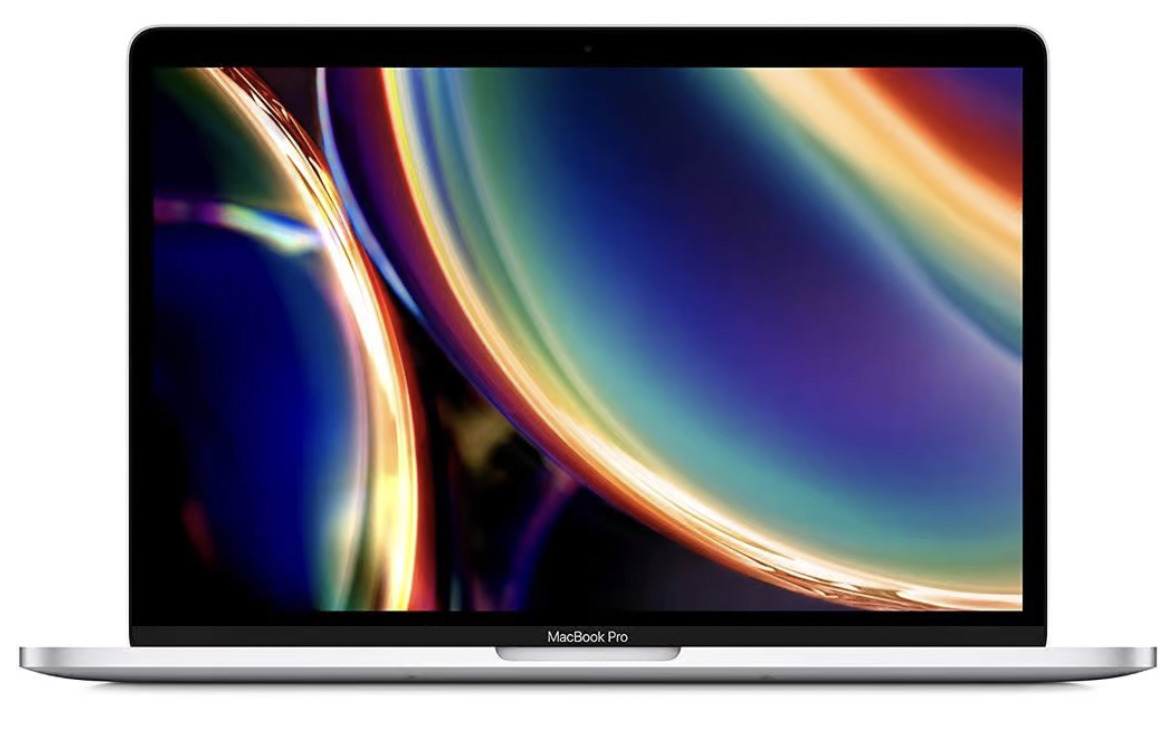
One of the best things about the MacBook Pro 13-inch with Intel processor, is you can customise it with up to 32GB of RAM or up to 4TB of hard drive storage. The MacBook Air doesn’t offer this, so this could be the best Apple laptop for students who like to add more memory to their laptops.
It has two USB-C/Thunderbolt 3 ports on each side, which adds a useful amount of extra flexibility. But when it comes to its processor and graphics, it’s actually a little weaker than the MacBook Air with M1 chip (and more expensive). It’s worth it for the customisablity and the Intel processor, that can run software an M1 chip can’t.
What's in the box
1 x 13-inch MacBook Pro
1 x 61W USB‑C Power Adapter
1 x USB‑C Charge Cable (2m).
Technical specs
Operating system: iOS
RAM: 8GB
Processor: 8-core CPU with 4 performance cores and 4 efficiency cores
Storage: up to 512 GB
Screen resolution: 2560x1600 native resolution
Screen size: 13.3-inch
Screen type: LED-backlit display
Touch screen?: No
WiFi?: 802.11ax Wi‑Fi 6 wireless networking
Ethernet: No
Battery life: 17 hours
Battery type: Lithium-polymer
Disc drive: None
Memory card reader: None
HDMI: None
Audio connections: Stereo speakers with high dynamic range, Wide stereo sound, Support for Dolby Atmos playback, Studio-quality three-mic array with directional beamforming, 3.5mm headphone jack
Webcam: 720p FaceTime HD camera
Colour: Silver, space grey.
More ports
Bright and sharp screen.
No powerful M1 processor.
Get an Apple student discount on this MacBook.
Best Chromebook laptops for students
Acer Chromebook Spin 713 — £699.99
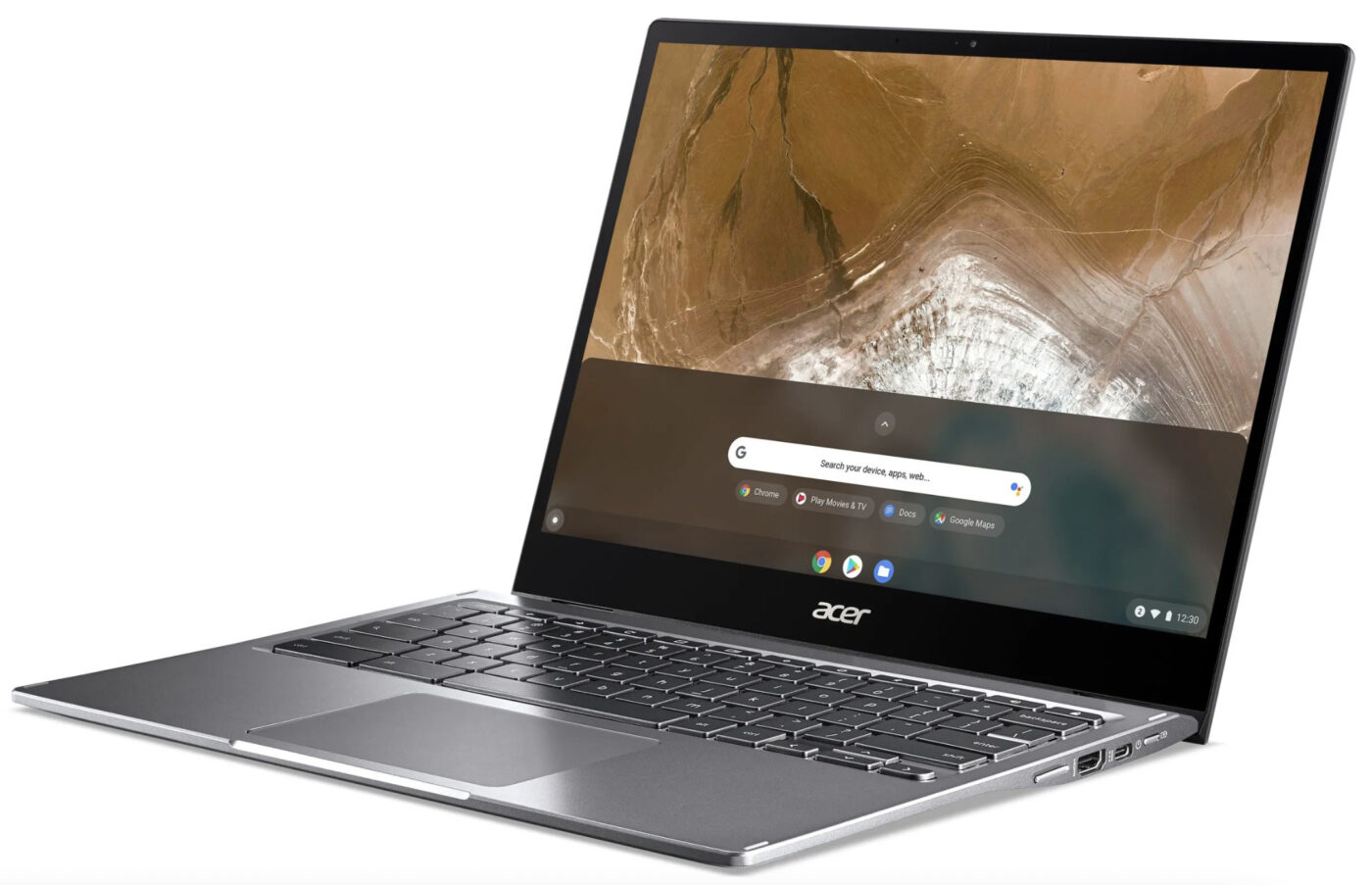
Know your Evo-certified laptops? Acer Chromebook Spin 713 is one of them. An Evo-certified laptop is an Intel laptop that’s designed to keep up with today’s fast-paced lifestyles, meaning great performance, lightweight build and great battery life.
This Acer Chromebook is fit with an 11th gen i5 CPU, Intel Iris Xe graphics, and 8GB of RAM. With a 13.5-inch display, it’s super portable too, plus its resolution is high at 1080p, which is most than other laptops of the same size. Consider packing some tape or blue-tack to hide the built-in webcam though, as it doesn’t come with a privacy shutter.
What's in the box
1 x Acer Chromebook Spin 713 laptop
1 x Charging cable.
Technical specs
Operating system: Chrome OS™
RAM: 8 GB, DDR4 SDRAM
Processor: Intel® Core™ i5-10210U processor Quad-core 1.60 GHz
Storage: 128 GB SSD
Screen resolution: 2,256 x 1,504
Screen size: 13.5-inch
Screen type: IPS
Touch screen?: Yes
WiFi?: Wi-Fi: Intel Wireless Wi-Fi 6 AX201
Ethernet: None
Battery life: 10 hours
Battery type: Lithium-ion
Disc drive: No
Memory card reader:
HDMI: 1
Audio connections:
Webcam: HD webcam (1280 x 720)
Colour: Grey.
Touch screen
Great performance for a small laptop.
No privacy shutter for webcam.
Save cash on this laptop with an Acer student discount on us.
Lenovo Chromebook C340-11 — £199
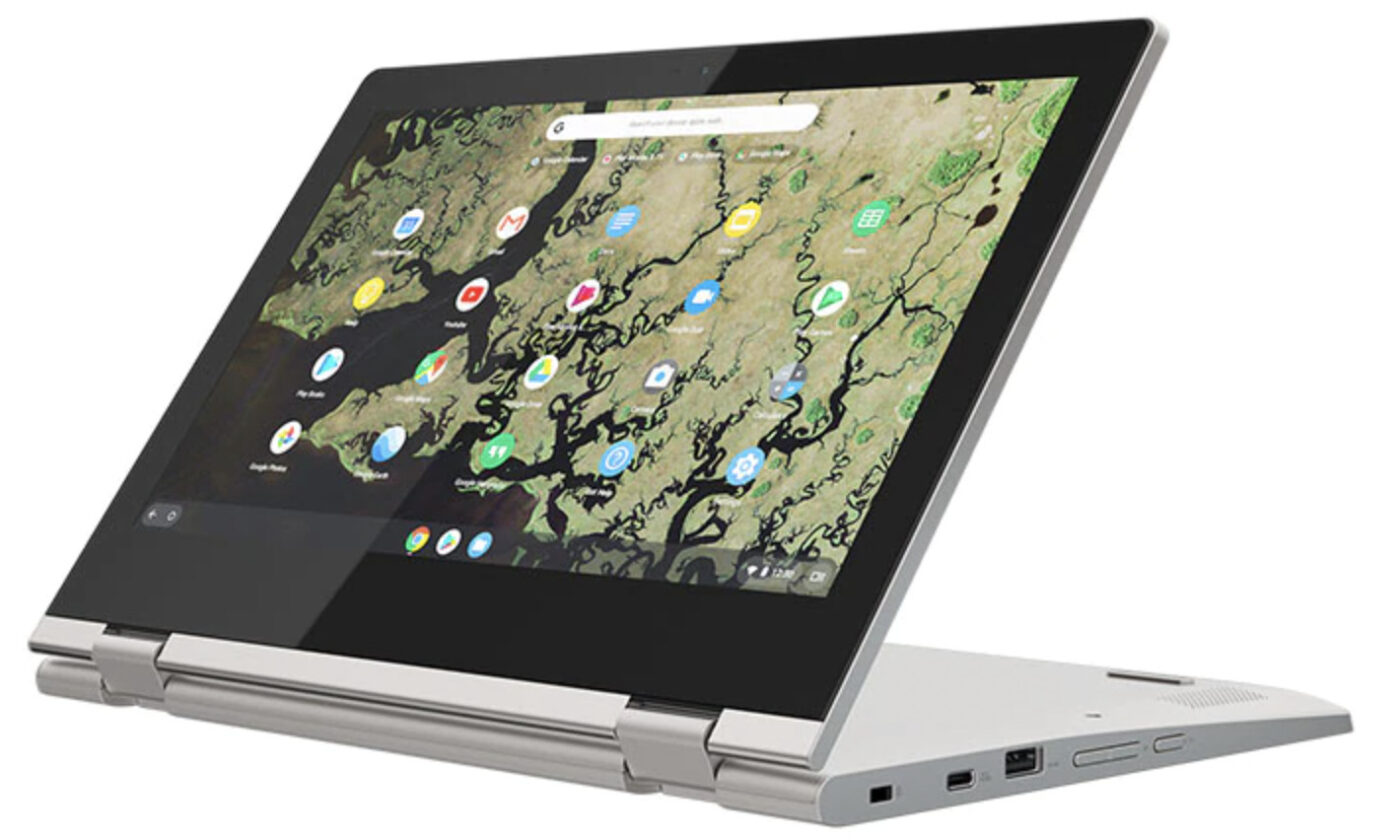
One of the best laptops under £300 and designed for educational purposes, the Lenovo C340-11 is also a top choice for a student Chromebook. It’s also one of the cheapest on this list, costing only £199, which is fantastic for those who need a student laptop cheap and in a hurry.
At a budget price, it’s equipped with an Intel Celeron N4000 processor that’s enough for taking notes and running presentations. It runs for 12 hours, so it’s going to keep you going all day. The touchscreen might just be HD but it’s touch-responsive and bright. We’re not fans of the bevel, but it’s only a minor feature and the benefits far outweigh the cons.
Check out our guide for more great touchscreen laptop options.
What's in the box
1 x Lenovo Chromebook C340-11
1 x Charging cable.
Technical specs
Operating system: Windows
RAM: 4 GB
Processor: Intel Core i7
Storage: 32GB
Screen resolution: 1366x768
Screen size: 11.6-inches
Screen type: HD
Touch screen?:
WiFi?: 802.11 AC WiFi, Bluetooth® 4.2
Ethernet: None
Battery life: 10-12 hours
Battery type: Lithium-ion
Disc drive: None
Memory card reader: MicroSD card reader
HDMI: None
Audio connections: 2x2W stereo speaker
Webcam: HD 720
Colour: Grey.
Very good battery life
Up to 8GB expanded memory.
Very wide bevels which some users may not like.
Get this with a Lenovo student discount to save cash.
And those are the best laptops for studying on your college or university course! As you can see, there's a ton here to suit all budgets. Some are more geared to design, while others are budget-friendly and do all the basics you need to get you through your course.
Is studying on a laptop effective?
Studying on a laptop is highly effective as a student. It means you can take your laptop to lectures/classes and type up your notes fast. Plus, you can avoid having to queue up to use a computer at your very busy uni library!
Laptops offer all the same features as a PC but in a compact and portable way. Tons of students use laptops for leisure too. Like streaming Netflix or playing computer games.
How do I choose a student laptop?
One of the best ways to choose the right student laptop is to make a list of what’s important. Here are a few things to consider when buying a laptop:
Your budget.
Type of operating system
Processor (brand and speed)
RAM
Storage
Wi-Fi type
Touch screen capability
Webcam
Battery life.
What laptop do most college students use?
College and university students tend to use the most popular brands of laptops out there. Here are the top laptop brands most college students use:
HP
Dell
Lenovo
Apple
Acer.
Is a 15.6 inch laptop too big for college?
A 15.6-inch laptop might be too big for some college students. This is because laptops need to be portable to carry around campus and on a commute. A good rule of thumb is the larger the laptop, the more it weighs.
However, if you’re studying a design, art or media course, then you may benefit from a 15.6-inch laptop screen (or even bigger too). Just be sure to get a good case that’s protective and easy to carry around.
What is better Dell or HP?
Dell laptops are known to offer more features for student laptops and are on the cheaper end of the scale. However, an HP laptop can offer long battery life, which is incredibly useful for long lectures and study sessions at the library.
In terms of being able to complete your uni work, both laptops are solid choices. It’s down to what you need and what’s important to you.
Buying a laptop is a big deal, so make sure you get it right with our ultimate laptop buying guide.
Save cash on laptops when you sign up to Student Beans and check out our tech student deals.
Unlock even more with Student Beans
All your favourite brands at your fingertips, from fashion and beauty to food and drink, available to college and uni students aged 16 and over. Dive into our blog to find tips and advice to help you navigate student life, from applying to uni to life after graduation.
- Sign up for a Student Beans account or log in to start saving on the biggest and best brands.
- Download the Student Beans app to unlock exclusive app-only discounts.